How to Set Up Online and Mobile Banking in Canada
Arriving in Canada, you're hit with a whirlwind of new experiences and a mountain of administrative tasks. Among the most crucial, yet often overlooked until you desperately need it, is getting your finances sorted beyond just opening a bank account. This guide will walk you through the ins and outs of setting up and effectively using online and mobile banking, transforming a potentially daunting task into a seamless part of your new Canadian life.
Why Online and Mobile Banking are Essential for Newcomers
When you first land in Canada, everything feels a bit like you're trying to learn to swim in a new ocean. From finding a place to live to navigating the job market, your hands are full. The last thing you want is to spend precious time queuing at a bank branch for every little transaction. This is where online and mobile banking become not just convenient, but absolutely indispensable tools for managing your money efficiently and staying on top of your financial game from day one.
The Convenience Factor for Busy Newcomers
Let's be real, life as a newcomer is hectic. You're trying to find your footing, build a new network, and adapt to a completely different routine. Imagine having to physically go to a bank every time you need to pay a bill, transfer money, or check your balance. It sounds exhausting, right? That's because it is. Canadian banks, much like banks in many developed countries, have invested heavily in robust digital platforms designed to make your financial life as easy as possible. You can do almost everything from your phone or computer, whether you're at home, on the bus, or even waiting for a coffee. This level of accessibility means you regain valuable hours that you can dedicate to exploring your new city, job searching, or simply relaxing after a long day. It’s about fitting your banking into your life, not the other way around.
Navigating the Canadian Financial Landscape
The Canadian financial landscape might have some quirks that are different from what you're used to back home. For instance, things like Interac e-Transfer are incredibly common here, and many businesses and individuals use it regularly for payments. Understanding these local norms and having the tools to participate in them digitally is key. Online and mobile banking platforms are often your primary interface for these uniquely Canadian financial tools. They allow you to quickly send money to a landlord, pay a friend back for dinner, or even manage your bills with utility providers. This digital integration helps you blend into the local financial ecosystem faster, reducing the friction that often comes with being in a new country. It’s not just about managing your money, it’s about engaging with the way money moves in Canada.
Essential for Managing Your Day-to-Day Finances
Think about all the recurring expenses you'll have: rent, hydro, internet, mobile phone bills, and more. Setting these up as automated payments through your online banking portal can save you a ton of stress and prevent late fees. You can view all your transactions in real-time, categorize your spending, and even set up budgets through many bank apps. For many newcomers, keeping a close eye on their finances is crucial, especially when adjusting to a new cost of living. Being able to access detailed statements and transaction histories at any moment can be a lifesaver for tracking your spending, understanding where your money goes, and planning for the future. Plus, if you ever need to sort out your taxes, having all your financial data readily accessible online will make the process of Filing Your Tax Return with the CRA in Canada: The Complete Walkthrough significantly smoother.
Choosing Your Canadian Bank for Digital Services
Picking a bank when you first arrive can feel like a high-stakes decision, especially since you might not know all the ins and outs of each one. However, most major Canadian banks offer excellent online and mobile banking services, often with specific packages designed for newcomers. The key is to look beyond just the basic account and delve into the digital tools they provide to ensure they meet your needs.
Major Players and Their Newcomer Offerings
Canada is dominated by its "Big Five" banks: Royal Bank of Canada (RBC), Toronto-Dominion Bank (TD), Bank of Nova Scotia (Scotiabank), Bank of Montreal (BMO), and Canadian Imperial Bank of Commerce (CIBC). Each of these institutions offers robust online and mobile banking platforms that are generally considered reliable and user-friendly. They also often have dedicated newcomer programs, which can include things like waived monthly fees for a certain period, free international money transfers, or even assistance with building a credit history. For example, Scotiabank and RBC are known for their strong international presence and specific services aimed at those who've recently moved to Canada. Many newcomers find these specialized packages helpful as they navigate their initial financial setup. It's really worth exploring what each one brings to the table, as their offerings can change, and one might just click better with your specific needs.
What to Look for in Online and Mobile Features
When you're trying to decide, don't just pick the first bank you see. Take a moment to think about what you’ll actually use. A good online banking portal should allow you to check your balances, view transaction history, pay bills, and transfer funds effortlessly. Beyond these basics, look for features like:
- Interac e-Transfer: This is non-negotiable in Canada. Ensure the bank offers easy and preferably free (or low-cost) Interac e-Transfers, as you'll use it constantly.
- Mobile Cheque Deposit: The ability to deposit a cheque by simply taking a photo with your phone is a huge time-saver.
- Budgeting Tools: Many apps offer built-in tools to help you track spending and create budgets.
- Security Features: Two-factor authentication, biometric logins (fingerprint/face ID), and fraud alerts are paramount.
- Customer Support: Can you easily chat with a representative through the app or online portal if you run into an issue?
Think about how you manage your money now and what digital features would truly make your life easier. This informed approach will help you choose wisely, so you can focus on more important things, like figuring out How to Find and Register with a Family Doctor in Canada.
Understanding Fees and Benefits
While newcomer packages often waive fees initially, it's crucial to understand what happens after the introductory period. Most Canadian bank accounts come with monthly fees, but these can often be waived if you maintain a minimum balance or have certain direct deposits. Compare these fees, the minimum balance requirements, and any transaction limits across different banks. Some accounts might offer unlimited transactions, while others charge per transaction after a certain number. Also, consider any less obvious benefits, such as:
- Rewards Programs: Do they offer points or cashback on your debit card purchases?
- ATM Access: How extensive is their ATM network, and are there fees for using other banks' ATMs?
- International Transfer Fees: If you plan on sending money home regularly, compare the fees for international wire transfers. This is where services like Wise often come in handy, offering a more cost-effective and transparent alternative to traditional bank transfers, particularly for larger sums or frequent remittances.
- Credit Building Support: Some newcomer programs explicitly help you start building your credit history, which is vital in Canada.
Taking the time to compare these aspects will help you find a banking package that not only meets your digital needs but also offers long-term value. For a deeper dive into making this choice, check out How to Choose the Best Bank for Newcomers in Canada.
Setting Up Your Online Banking Portal
Once you've made the momentous decision and opened your Canadian bank account (which, let's be honest, probably involved a fair bit of paperwork, even with the newcomer services!), the next logical step is to get your online banking portal up and running. This is typically done either right at the branch when you open your account or by following a few simple steps from home. Don't put this off! Your online banking is your central hub for all things financial.
The Initial Registration Process
For most Canadian banks, the initial setup for online banking is pretty straightforward. You'll usually need your bank account number, transit number (a 5-digit bank branch identifier), and institution number (a 3-digit bank identifier), which you can find on your debit card or a cheque. You might also need your Social Insurance Number (SIN), but sometimes your temporary account number or client card number will suffice for initial setup. If you didn't set it up in the branch, head to your bank's website and look for a "Register" or "Enroll Now" link for online banking.
You'll be prompted to create a username and a strong password. Remember, this password is your first line of defence for your money, so make it unique and complex! Many banks will also ask you to set up security questions, which are crucial for identity verification if you ever forget your password or need to contact customer service. Write these down somewhere secure but separate from your password details. Completing this step usually means you'll instantly gain access to your account balances and transaction history. Take a deep breath; you've just unlocked a world of financial control!
Linking External Accounts and Services
One of the great advantages of online banking is the ability to connect various aspects of your financial life. Once you're logged in, you can often link other Canadian bank accounts (if you have them) or even set up connections to investment platforms or other financial tools you might use. More crucially for newcomers, this is where you can manage international transfers. While your Canadian bank can facilitate these, you might find that third-party services like Wise offer better exchange rates and lower fees for How to Transfer Money Into and Out of Canada as a Newcomer. You can typically set up your Wise account to link directly to your Canadian bank account, making it easy to fund international transfers. Additionally, this is where you'll authorize connections for services like your payroll (if your employer offers direct deposit setup online) or even tax software when tax season rolls around. Keeping an eye on these connections and ensuring they are secure is a continuous task, especially if you have complex financial situations or assets overseas that might have implications for your taxes, which is where a service like Taxes for Expats could provide specialized assistance.
Setting Up Bill Payments and Transfers
Now for the real magic: making your money work for you without lifting a finger (well, almost!). Online banking is fantastic for setting up bill payments. Most utility companies (hydro, gas, internet), landlords, and even credit card companies can be added as "payees" in your online banking system. You'll usually need the payee's name and account number, which you can find on their invoices. You can then schedule one-time payments or, even better, set up recurring payments for your regular bills. This is a game-changer for avoiding late fees and staying organized.
Beyond bills, you'll want to master Interac e-Transfers. This service lets you send money quickly and securely to anyone with a Canadian bank account and email address or phone number. You just need to select "Interac e-Transfer," enter the recipient's details and the amount, and often create a security question and answer. The recipient then receives a notification and can deposit the money into their account. This is incredibly useful for splitting restaurant bills, paying for small purchases, or sending money to friends and family. Familiarizing yourself with How to Use Interac e-Transfer and Local Payments in Canada will save you countless headaches.
Mastering Mobile Banking Apps
In today's fast-paced world, your smartphone isn't just for calls and social media; it's your portable financial assistant. Canadian banks have invested heavily in creating sophisticated mobile banking apps that put virtually all your banking needs right at your fingertips. For newcomers, this means even more convenience and control over your money, no matter where you are.
Downloading and Activating Your Bank's App
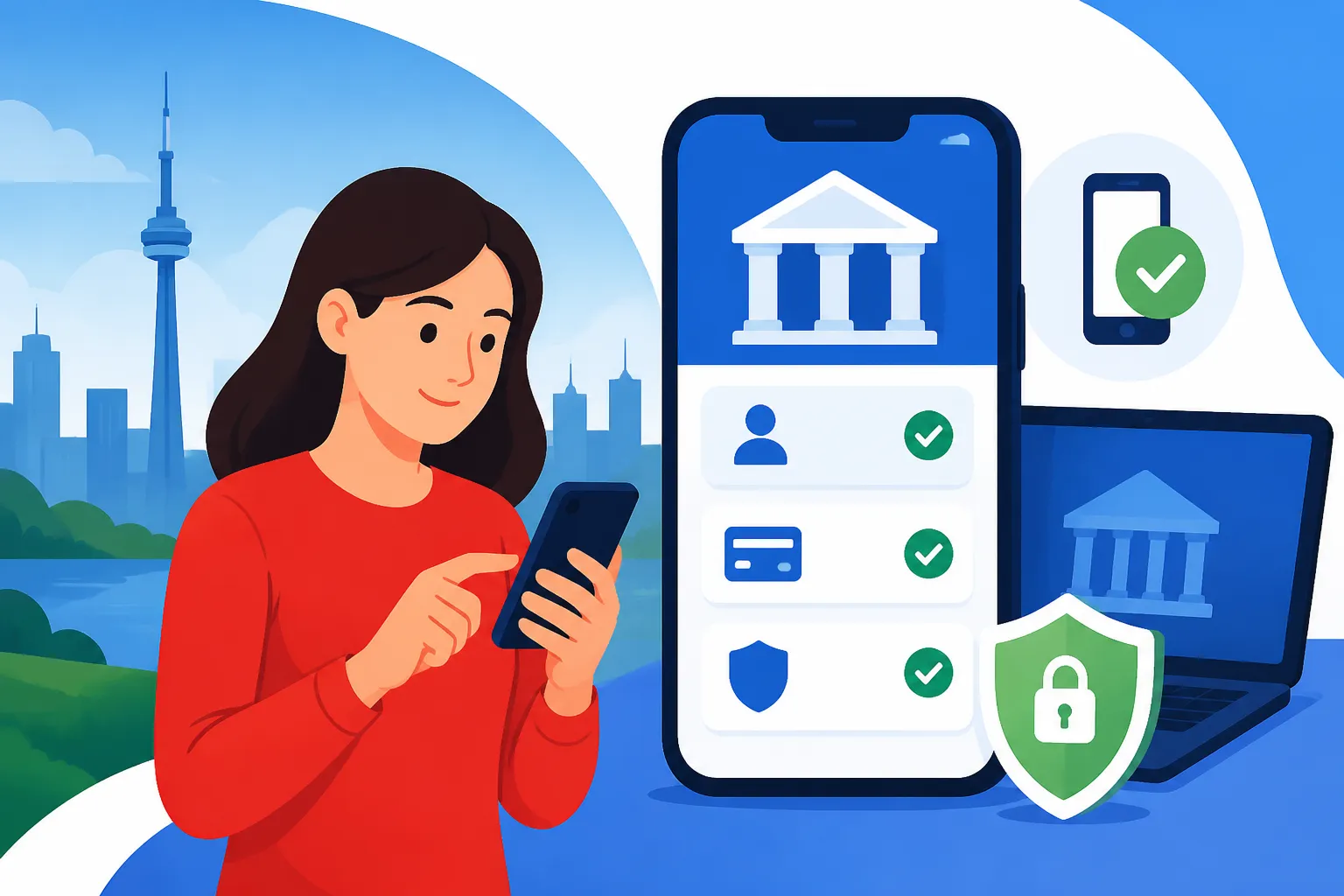
Downloading your bank's mobile app is the easy part. Head to your phone's app store (Apple App Store for iPhones, Google Play Store for Android devices) and search for your bank's official app. Be cautious and always download the official app from your bank, not a third-party application. Once downloaded, you'll typically use the same login credentials you created for your online banking portal. The first time you log in, the app might ask for additional verification, such as a code sent to your registered phone number or email, or biometric authentication setup like fingerprint or face ID.
Once activated, spend some time exploring the app. Most Canadian banking apps are designed with user-friendliness in mind, but getting familiar with the layout and where key features are located will save you time later. You'll usually find quick access to your account balances, recent transactions, and options for transfers and bill payments prominently displayed. This initial exploration is key to making the app a truly useful tool rather than just another icon on your home screen.
Key Features and How to Use Them
Canadian mobile banking apps are packed with features designed to simplify your financial life. Here’s a rundown of some you’ll likely use most often:
- Quick Balance: Many apps offer a "quick balance" feature, allowing you to see your account balance without fully logging in. This is great for a fast check.
- Mobile Cheque Deposit: This is a fantastic feature. If you receive a Canadian cheque, you can often endorse it (sign the back), take a photo of the front and back using the app, and deposit it directly into your account. Always check your bank’s specific instructions and limits for mobile deposits.
- Interac e-Transfer: As mentioned, this is huge in Canada. The mobile app makes sending and receiving e-Transfers incredibly easy. You can often set up auto-deposit for transfers from specific senders, meaning you don't even need to answer a security question.
- Bill Pay and Transfers: Just like online banking, you can add payees, schedule one-time or recurring bill payments, and transfer money between your own accounts or to other people's accounts within the same bank.
- Budgeting Tools and Insights: Many apps integrate tools that analyze your spending, categorize transactions, and help you visualize your budget. Some even offer personalized insights to help you save. TD Canada Trust's app, for instance, has features that highlight your spending patterns.
- Find an ATM/Branch: If you ever need cash or in-person service, the app can quickly locate the nearest branch or ATM.
Getting comfortable with these features will make managing your money effortless, freeing you up to concentrate on other important aspects of your Canadian journey, such as understanding The Complete Guide to Cost of Living in Canada for Newcomers (2026).
Managing Notifications and Alerts
One of the most valuable aspects of mobile banking is the ability to receive real-time notifications about your account activity. You can typically customize these alerts to suit your needs. Common notifications include:
- Transaction Alerts: Get notified every time a purchase is made with your debit card, or when money leaves your account. This is a crucial security measure, as it allows you to spot unauthorized transactions immediately.
- Deposit Alerts: Know instantly when your paycheck or an Interac e-Transfer deposit hits your account.
- Low Balance Alerts: Set a threshold, and the app will notify you if your balance drops below that amount, helping you avoid overdraft fees.
- Bill Payment Reminders: Get a reminder a few days before a bill is due, giving you time to ensure funds are available.
While helpful, it’s also important not to get overwhelmed. Take some time in the app settings to configure which notifications you want and how you receive them (push notification, email, SMS). Striking the right balance will ensure you stay informed without being bombarded with unnecessary messages. These alerts become your personal financial watchdog, an invaluable asset when you’re trying to build a new financial foundation.
Ensuring Security and Managing Your Digital Finances
Living in Canada means adapting to new systems, and financial security is no different. While online and mobile banking offer unparalleled convenience, they also come with inherent risks if you're not diligent. The digital world is a playground for scammers, and protecting your hard-earned money needs to be a top priority.
Best Practices for Online Security
Think of your online banking as your digital vault; you wouldn't leave a physical vault unlocked, would you? The same goes for your online accounts. Here are some critical best practices to keep your digital finances safe:
- Strong, Unique Passwords: This is non-negotiable. Use a complex password (a mix of uppercase, lowercase, numbers, and symbols) for your banking, and never reuse it for other services. Consider using a password manager.
- Two-Factor Authentication (2FA): Always enable 2FA if your bank offers it. This usually means a code sent to your phone or email, or generated by an authenticator app, is required in addition to your password. This dramatically increases security.
- Beware of Phishing Scams: Canadian banks will never ask you for your full password, PIN, or Social Insurance Number (SIN) via email, text, or unsolicited phone call. Be extremely wary of emails or texts that look like they're from your bank asking you to click a link to "verify your account" or "update your information." Always go directly to your bank's official website or app to log in.
- Secure Wi-Fi: Only access your banking apps or websites on secure, private Wi-Fi networks. Public Wi-Fi networks in cafes or airports can be risky, as they are often unsecured and vulnerable to eavesdropping.
- Log Out Properly: Always log out of your online banking session and close the app when you're done, especially on shared devices.
- Keep Software Updated: Ensure your phone's operating system and your banking apps are always updated to the latest versions. These updates often include critical security patches.
Monitoring Your Accounts and Transactions
The most effective way to catch potential fraud early is to regularly monitor your accounts. Don't just check your balance; actually, review your transaction history.
- Daily or Weekly Checks: Make it a habit to log into your online banking or app a few times a week, or even daily, to review recent transactions. Look for anything unfamiliar, no matter how small the amount. Sometimes, fraudsters test with tiny charges first.
- Statement Reviews: When your monthly statement becomes available (digitally or physically), reconcile it with your own records. This is your chance to scrutinize every charge and ensure it's legitimate.
- Set Up Alerts: As mentioned before, transaction alerts are your best friend. They notify you in real-time of activity, allowing you to react quickly if something looks suspicious.
If you ever see a transaction you don't recognize, contact your bank immediately. Don't wait. Time is often critical in fraud cases. Keeping diligent watch over your finances is part of being responsible, and also helps you keep tabs on things that might affect your taxes later, especially if you have foreign income to consider.
Understanding Fraud Prevention
Canadian banks employ sophisticated fraud detection systems, but they are not foolproof. Understanding how fraud works and what your bank's role is in preventing it can empower you.
- Bank's Role: Banks use algorithms to flag unusual spending patterns or suspicious transactions. If they detect something, they might temporarily freeze your card or account and contact you for verification. This might feel inconvenient, but it's for your protection.
- Your Responsibilities: You also have a role. For instance, if your debit card is lost or stolen, report it to your bank immediately. If you fall for a phishing scam and give away your credentials, the bank's ability to recover funds might be limited, depending on the circumstances.
- Reporting Fraud: If you suspect fraud, report it to your bank's fraud department immediately. They will guide you through the process, which usually involves cancelling compromised cards, investigating the transactions, and potentially issuing you new cards. They will also inform you of the necessary steps to take, such as possibly reporting it to the police or the Canadian Anti-Fraud Centre. Staying on top of your credit score, by utilizing resources like How to Build a Credit Score as a Newcomer in Canada, is also a crucial aspect of overall financial health and fraud detection.
Troubleshooting Common Issues and Getting Support
Let's face it, no digital system is perfect, and sometimes things just go sideways. You might get locked out of your account, a payment might not go through, or you might just have a question about a feature. Navigating customer support in a new country can be frustrating, but knowing the typical channels and what to expect can ease the process considerably.
Password Resets and Account Lockouts
It happens to the best of us: you're trying to log into your online banking, and suddenly you realize your password isn't working, or you've entered it incorrectly too many times and now you're locked out. Don't panic!
- "Forgot Password" Feature: This is your first port of call. Most banks have a prominent "Forgot Password" or "Reset Password" link on their login page. You'll typically be asked to provide some identifying information (like your debit card number, account number, or SIN), answer some security questions you set up during registration, and then you'll be able to create a new password.
- Account Lockouts: If you're locked out due to too many incorrect attempts, the system usually tells you how long you need to wait before trying again, or it might prompt you to use the "Forgot Password" link. If neither works, or you're stuck in a loop, it's time to contact customer service directly. They will be able to verify your identity and unlock your account. Be prepared to answer more security questions or provide details from your bank records.
Contacting Customer Service for Digital Banking
When the online solutions aren't cutting it, you'll need to reach out for human help. Canadian banks offer several ways to contact customer support:
- Phone Support: This is often the most direct route for urgent issues. You'll find the customer service numbers on your bank's website, on the back of your debit card, or within the mobile app. Be prepared for potentially long wait times, especially during peak hours. Have your account information, SIN, and details of your issue ready.
- Live Chat: Many banks offer live chat support directly on their website or within their mobile app. This can be a great option for less urgent queries, as you can often multitask while waiting for a representative.
- Secure Messaging: Some apps and online portals have a secure messaging system where you can send a message to your bank and receive a reply within a certain timeframe. This is good for non-time-sensitive questions or sharing sensitive information securely.
- In-Branch Visit: For complex issues or if you simply prefer face-to-face interaction, visiting a branch is always an option. However, for digital banking issues, the branch staff might direct you to phone support if it's a specialized technical issue.
Remember that patience is a virtue, and clearly articulating your problem will help the representative assist you more efficiently.
Dealing with Technical Glitches
From time to time, you might encounter a technical glitch – perhaps the app crashes, a payment shows as pending for too long, or a feature isn't working as expected.
- Basic Troubleshooting: First, try the usual tech fixes: close and reopen the app, restart your phone, check your internet connection, or try accessing online banking from a different browser or device. Sometimes, the issue is on your end.
- Check Bank's Status Page: Major banks often have a "service status" page on their website or social media channels where they announce widespread outages or maintenance. If there's a known issue, you just have to wait it out.
- Document Everything: If a transaction goes wrong or a feature isn't working, take screenshots! Note down error messages, dates, and times. This documentation will be invaluable if you need to contact customer service and prove what happened.
While frustrating, these technical hiccups are usually temporary. Knowing how to react calmly and systematically will help you resolve them quickly, allowing you to get back to managing your finances and enjoying your life in Canada.
| Feature / Bank | RBC | TD | Scotiabank | CIBC | BMO |
|---|---|---|---|---|---|
| Newcomer Package | Yes (e.g., waived fees, international transfer credits) | Yes (e.g., Chequing accounts, credit card options) | Yes (e.g., StartRight Program, no-fee banking) | Yes (e.g., Welcome to Canada Banking Offer) | Yes (e.g., NewStart Program, unlimited transactions) |
| Mobile App Rating (Approx. Avg.) | 4.7/5 | 4.7/5 | 4.6/5 | 4.6/5 | 4.7/5 |
| Interac e-Transfer | Unlimited free with most accounts | Unlimited free with most accounts | Unlimited free with most accounts | Unlimited free with most accounts | Unlimited free with most accounts |
| Mobile Cheque Deposit | Yes | Yes | Yes | Yes | Yes |
| Bill Payment (Online/App) | Yes | Yes | Yes | Yes | Yes |
| Budgeting Tools | Yes (e.g., Insights) | Yes (e.g., TD MySpend) | Yes (e.g., MyGoals) | Yes (e.g., Smart Insights) | Yes (e.g., Insights) |
| International Transfer | Via RBC Online/App, also offers separate platform | Via TD Online/App | Via Scotiabank Online/App, also uses Western Union | Via CIBC Online/App | Via BMO Online/App, also offers separate platform |
Note: Features and specific offerings can change. Always visit the bank's official website for the most up-to-date information and terms for newcomers.
Disclaimer
The information provided in this guide is intended for general informational purposes only and does not constitute financial, legal, or professional advice. While we strive to keep the information accurate and up-to-date, Canada's financial regulations and banking services can change. Newcomers should always consult with official banking institutions, financial advisors, or legal professionals for advice tailored to their specific situation. We do not endorse any specific financial product, service, or brand over another, and users should conduct their own due diligence before making any financial decisions.