How to Use Interac e-Transfer and Local Payments in Canada
Moving to Canada, you're immediately faced with a mountain of new things to learn, from how to find a family doctor to understanding the baffling world of Canadian taxes. One of the first and most crucial hurdles is figuring out how money actually moves around here. If you've arrived from a country with entirely different banking habits, the Canadian approach to local payments can feel like a secret handshake you're not in on. This guide is here to demystify the everyday financial transactions in Canada, focusing on the incredibly popular Interac e-Transfer and other essential local payment methods, so you can pay your rent, split a bill with friends, and manage your daily finances with confidence.
The Ubiquitous Power of Interac e-Transfer in Canada
When I first arrived in Canada, I kept hearing about "e-Transfers" and wondered why everyone wasn't just using bank transfers like I was used to. It didn't take long to realize that Interac e-Transfer isn't just a way to send money; it's the way for person-to-person and small business-to-person payments across Canada. If you're not using it, you're missing out on a massive part of daily financial life here.
What Exactly Is Interac e-Transfer and How Does It Work?
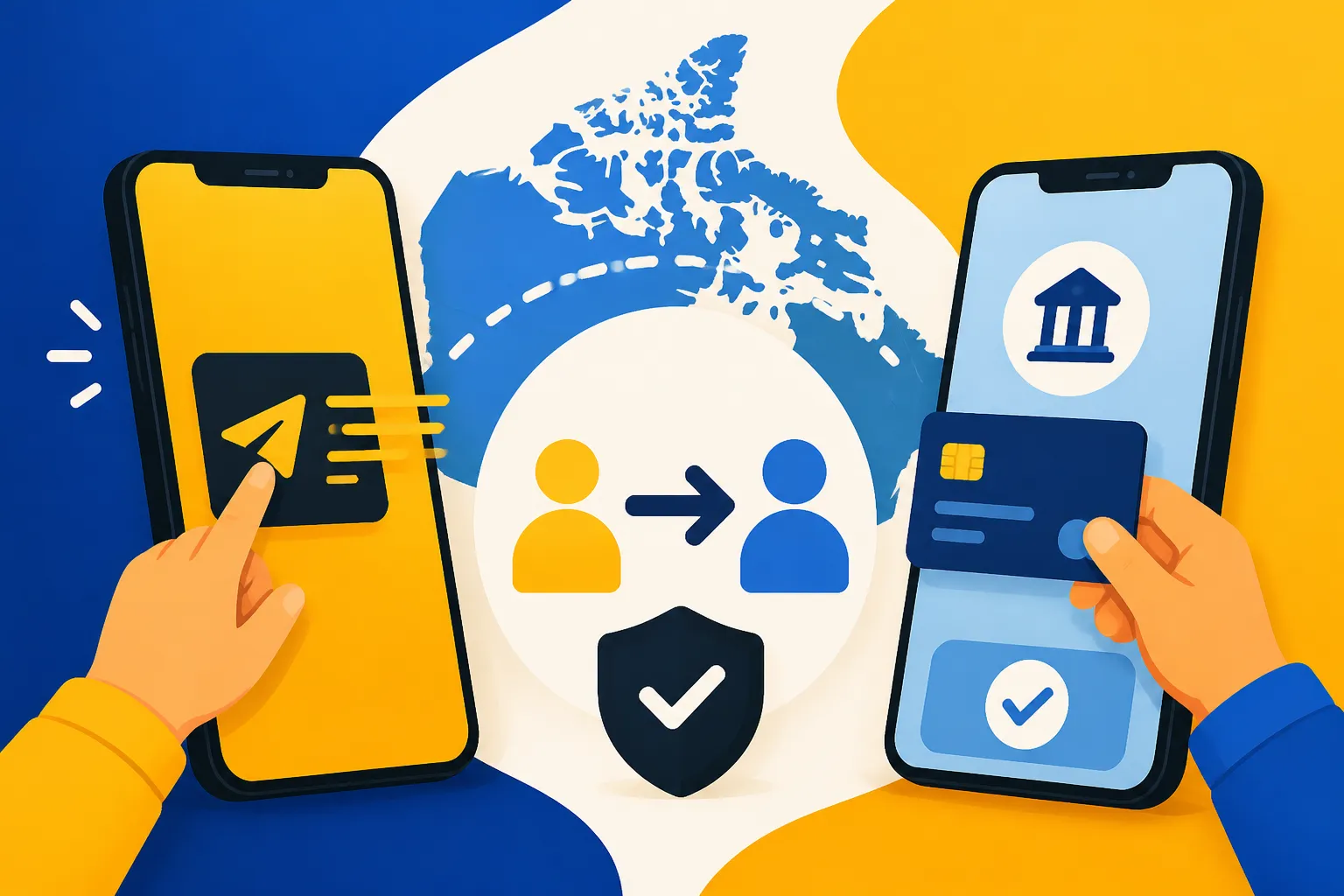
At its core, Interac e-Transfer is a secure way to send money directly from one bank account to another in Canada, usually through your online banking portal or mobile banking app. What makes it unique for newcomers is that you don't actually need the recipient's bank account number, which might be a relief if you're accustomed to the anxiety of getting digits wrong. Instead, you just need their email address or mobile phone number. The system links these contact details to their bank account, acting as a secure intermediary.
The process typically involves you logging into your online banking, selecting the e-Transfer option, choosing a recipient (or adding a new one), entering the amount, and then, crucially, setting up a security question and answer. This security question is the key! Only the recipient, armed with the correct answer, can deposit the funds. Once you send it, the recipient gets a notification (email or text) with instructions on how to deposit the money. It sounds a bit convoluted at first, especially if you're used to instant, direct bank transfers in other parts of the world, but once you get the hang of it, you'll wonder how you ever lived without it. It's incredibly secure because the money never actually travels via email or text; those are just the notification channels, while the funds move directly between financial institutions.
This system is ingrained into the Canadian financial landscape. Whether you're splitting the cost of dinner with friends, paying your roommate for your share of the rent, or even settling up with a small business for a service, "Just send me an e-Transfer" is the standard phrase you'll hear. It’s a testament to its reliability and the broad adoption by nearly all Canadian financial institutions, from the big five banks like RBC and TD, to smaller credit unions. For expats navigating a new banking system, understanding this mechanism is a foundational step in feeling financially settled.
Setting Up and Sending Your First e-Transfer
Sending your first Interac e-Transfer might feel like a big step, but trust me, it's far easier than it sounds. First, you'll need to have an active Canadian bank account and online banking access. If you're still working on that, be sure to check out our guide on how to open a bank account at a Canadian bank as a newcomer. Once you're logged into your bank's online platform or mobile app, look for an option usually labelled "Interac e-Transfer," "Send Money," or something similar.
From there, you'll typically follow these steps:
- Select "Send Money": This is usually a prominent button or link within the e-Transfer section.
- Choose/Add Recipient: If you've sent money to them before, they'll be in your list. Otherwise, you'll add their name and their email address or mobile number. Make absolutely sure these details are correct!
- Enter Amount: Type in how much you want to send.
- Create Security Question and Answer: This is vital. The question should be something only you and the recipient know the answer to, but ideally, it's not too obscure or personal in a way that could compromise security (e.g., "What's my mother's maiden name?" is a bad idea, as that's often a security question elsewhere). A good example might be, "What colour is the sky?" with the answer "Blue". Communicate this answer to your recipient separately – never in the e-Transfer message itself.
- Add a Message (Optional): You can add a note, like "Rent for October" or "Dinner last night," which helps with record-keeping.
- Review and Confirm: Double-check all the details before hitting send.
Most personal chequing accounts from major Canadian banks offer unlimited Interac e-Transfers for free as part of their monthly package. However, if you have a very basic account or a pay-per-transaction setup, there might be a small fee, often around $1.50 per transfer. Transaction limits are also something to be aware of; these vary by bank and account type, but typically range from $3,000 to $5,000 per transaction or per day for personal use. If you need to send a larger sum, you might have to break it into multiple transfers over several days or explore other options. Remember, setting up online and mobile banking in Canada efficiently is key to managing these transactions smoothly.
Receiving Funds via Interac e-Transfer
Receiving money through Interac e-Transfer is just as common as sending it, and it's generally a smooth process once you know what to expect. When someone sends you an e-Transfer, you'll receive a notification via email or text message. This notification will tell you who sent the money and the amount. It will also contain a link – usually specific to your bank or the Interac platform – that you need to click to initiate the deposit.
Once you click the link, you'll be directed to a secure page where you select your bank. After logging into your online banking, you'll be prompted to answer the security question that the sender created. Get it right, and the funds will be deposited directly into your chosen account, typically within minutes. If you get it wrong too many times, the transfer might be cancelled and returned to the sender, so make sure you confirm the answer with them beforehand!
To make things even easier, most Canadian banks offer an "Autodeposit" feature. This is a game-changer because it eliminates the need for a security question altogether for funds sent to your registered email address. Once enabled, any e-Transfer sent to that email will automatically be deposited into your designated bank account without you having to do anything beyond the initial setup. This feature is particularly useful for recurring payments like rent or receiving money from trusted sources. You can usually enable autodeposit through your online banking settings, often under the Interac e-Transfer section. It saves time and ensures you never miss a deposit because you couldn't remember the security answer.
Beyond e-Transfer: Other Common Local Payment Methods
While Interac e-Transfer dominates the peer-to-peer and many small business transactions, Canada offers a full suite of other payment methods that you'll use daily. Understanding these is crucial for everything from grocery shopping to paying your monthly bills.
Debit Cards: Your Everyday Companion
Your Canadian debit card, prominently featuring the "Interac" logo, will quickly become your most used payment tool for everyday purchases. Unlike credit cards, when you use a debit card, the money is immediately withdrawn directly from your bank account. It's essentially digital cash, and it's accepted almost everywhere, from the smallest corner store to major supermarkets. You'll use it for your daily coffee, your groceries, filling up your car, and countless other transactions.
The beauty of debit cards in Canada is their ease of use. Most terminals offer "tap" functionality (NFC payment), allowing you to simply tap your card for smaller transactions (usually under $100 or $250, depending on the merchant and your bank) without needing a PIN. For larger amounts, or if tapping doesn't work, you'll insert your card into the machine and enter your four-digit PIN. It’s a seamless experience that most Canadians take for granted. Just be mindful of ATM fees if you use a machine that isn't from your own bank; while your bank might not charge you for using their ATMs, other banks might levy a small fee for withdrawals, a tiny but annoying charge that adds up if you're not careful.
It's important to remember that while a debit card draws directly from your chequing account, it's not a credit card. It won't help you build your credit score, and it generally doesn't offer the same fraud protection as credit cards for unauthorized purchases (though most Canadian banks do offer robust fraud protection for debit cards as well). For newcomers, the debit card is often the first and most accessible way to transact, especially before you've had a chance to build up your Canadian credit history.
Credit Cards: Building Your Canadian Financial Footprint
Once you start settling in, getting a Canadian credit card will be a crucial step in establishing your financial life. Credit cards are vital for building a positive credit score, which is essential for almost everything else: renting an apartment, getting a mortgage, buying a car, or even securing certain jobs. Major credit card networks like Visa, MasterCard, and American Express are widely accepted across Canada.
For newcomers, securing your first credit card can sometimes be a bit of a Catch-22. You need credit to get credit! Many traditional credit cards require an established credit history, which you won't have right away. However, don't despair! Canadian banks are increasingly offering special newcomer banking packages that include options like secured credit cards. With a secured card, you provide a deposit (e.g., $500), which becomes your credit limit, and this allows you to start building that all-important credit history responsibly. Over time, with good payment habits, you can often graduate to an unsecured card. Using credit cards for online purchases, subscription services, and larger planned expenses is common. Just remember the golden rule: pay your balance in full and on time every month to avoid interest charges and build your credit effectively. Understanding how to build a credit score as a newcomer in Canada is a journey worth taking.
Direct Debits and Pre-Authorized Payments
For recurring bills, Canada leans heavily on direct debits, often called "Pre-Authorized Debits" (PADs). This is how most Canadians pay their monthly rent, utility bills, internet, phone bills, insurance premiums, and even gym memberships. Instead of you manually initiating a payment each month, you give the service provider permission to automatically withdraw funds from your bank account on a specific date.
Setting up PADs is incredibly convenient. You typically provide the service provider with a void cheque (a cheque marked "VOID" to prevent it from being cashed, but showing your bank account and transit numbers) or your bank account details (institution number, transit number, and account number). This authorizes them to pull funds directly. For instance, when you set up hydro (electricity) or gas services, the provider will almost certainly ask if you want to set up pre-authorized payments. It takes the stress out of remembering due dates and avoids late fees.
While convenient, it's also important to monitor your accounts and ensure you have sufficient funds to cover these payments. A missed PAD can result in a "Non-Sufficient Funds" (NSF) fee from your bank (typically around $45) and potentially a late fee from the service provider. Always make sure your bank balance is healthy before the payment date. You can learn more about managing your household expenses, including How to Pay Your Utility Bills Online in Canada, in other comprehensive guides.
Navigating Payment Fees and Transaction Limits
One of the biggest surprises for newcomers is often the subtle (or not-so-subtle) fees and limits that can impact your daily banking. It’s easy to assume everything is free or limitless, but that’s rarely the case, especially with certain account types.
Understanding Fees Associated with e-Transfers and Debit
Let’s be honest: nobody likes fees. When it comes to Interac e-Transfers, the good news is that for most standard personal chequing accounts offered by major Canadian banks, they are generally free. This is a huge benefit and contributes to their widespread popularity. However, if you've opted for a very basic, pay-per-use bank account (often chosen to avoid monthly fees if you have limited transactions), each e-Transfer might cost you around $1.00 to $1.50. It’s a small amount, but if you're sending multiple e-Transfers a week, it can quickly add up. Always check the specifics of your bank account package when you're choosing the best bank for newcomers in Canada.
Similarly, debit card transactions at point-of-sale terminals are almost universally free if you have a typical chequing account. Where you might encounter fees with your debit card is at ATMs that are not part of your bank's network. For example, if you bank with TD and use an RBC ATM, both TD and RBC might charge you a small fee (often $1.50-$3.00 each) for the transaction. This is why you'll often see people making a beeline for their specific bank's ATM. Also, some very small businesses or independent vendors might charge a small surcharge for debit or credit card transactions, though this is less common and usually clearly posted. It’s always good practice to keep an eye on your monthly bank statements for any unexpected charges.
Daily and Transaction Limits
Banks implement limits on digital transactions primarily for security reasons. While these limits are designed to protect you from large fraudulent withdrawals, they can sometimes be a minor inconvenience when you need to make a larger payment.
For Interac e-Transfers, these limits vary significantly by financial institution and by your specific account. Common daily limits for sending e-Transfers range from $3,000 to $5,000. There might also be weekly and monthly limits, sometimes reaching $10,000 or $30,000 respectively. If you're paying a larger expense, like a significant portion of rent or buying something expensive from an individual, you might find yourself needing to send multiple e-Transfers over several days. For instance, if your rent is $2,500 and your daily limit is $3,000, you're fine. But if it's $6,000, you'll need two separate transfers spread over two days.
Debit card limits also exist, both for Point-of-Sale (POS) purchases and ATM withdrawals. POS daily limits are often quite high, sometimes up to $5,000 or $10,000, which is generally more than enough for everyday spending. ATM withdrawal limits are typically lower, often around $500 to $1,000 per day. If you need to withdraw a larger amount of cash, you might need to visit a branch or plan to make multiple ATM withdrawals over a few days. If you find these limits restrictive, you can usually contact your bank directly to request a temporary or permanent increase, though they may require you to provide a reason or have certain account features.
Digital Wallets and Mobile Payments
Canada has embraced digital wallets and mobile payment solutions with open arms. If you're accustomed to tapping your phone or smartwatch to pay for things back home, you'll find Canada very familiar in this regard.
Apple Pay, Google Pay, and Samsung Pay
These mobile payment platforms have become incredibly popular and are widely accepted across Canada. Whether you have an iPhone, an Android device, or a Samsung phone, you can link your Canadian debit and credit cards to your device's digital wallet. This means you can leave your physical wallet at home (or at least deep in your bag) and simply tap your phone or smartwatch at any payment terminal that accepts contactless payments. Look for the contactless payment symbol (four curved lines) at checkout.
The setup is usually straightforward: open your phone's wallet app, select "Add Card," and follow the on-screen prompts to scan your card or enter its details manually. Your bank might send you a verification code to your phone number or email to confirm. Once added, you simply authenticate with your fingerprint, face ID, or PIN, and hold your device near the terminal. It's not just convenient; it's also highly secure. These systems use tokenization, meaning your actual card number isn't transmitted during the transaction. Instead, a unique, encrypted token is used, adding an extra layer of protection against fraud. This makes paying at grocery stores, coffee shops, and even many small businesses incredibly fast and secure, enhancing your overall shopping experience.
QR Code Payments and App-Based Transactions
While not as universally prevalent as tap-to-pay with debit/credit cards or digital wallets, QR code payments and specialized app-based transactions are gaining traction in Canada, particularly for specific services. You won't typically see QR codes for general retail purchases in the same way you might in some Asian countries, but they are used for niche applications.
For instance, paying for parking in many Canadian cities often involves a mobile app, which might use QR codes. Apps like HonkMobile or PayByPhone allow you to pay for street parking or parking lots directly from your phone. You input your license plate number, select your duration, and pay within the app using a linked credit card or digital wallet. Some independent coffee shops or food vendors might also use their own proprietary apps with QR codes for loyalty programs or expedited ordering and payment.
Additionally, some larger retailers or restaurant chains might offer their own apps that include in-app payment options, sometimes linked to loyalty points or exclusive offers. Think of major coffee chains or fast-food establishments. While not yet a dominant form of payment for everyday transactions, the convenience and potential for integrated loyalty programs mean we might see more of these specialized app-based payment methods in the future. For now, it's more about convenience for specific services rather than a general payment method.
International Transfers and Currency Exchange
Living in Canada as an expat often means you'll still have financial ties to your home country. Whether you're sending money home to family, receiving funds from abroad, or managing investments, understanding international transfers and currency exchange is vital.
Sending Money Home or Receiving Funds from Abroad
Let's face it, one of the ongoing pain points for many newcomers is the cost and complexity of international money transfers. Traditional banks, while reliable, can often hit you with high transfer fees and less-than-favorable exchange rates, making those hard-earned Canadian dollars shrink considerably when converted to your home currency. This is where specialist money transfer services really shine.
For sending money out of Canada, companies like Wise (formerly TransferWise) have become incredibly popular among expats because they typically offer much lower fees and more competitive exchange rates compared to traditional banks. Services like these use a different model, often facilitating local transfers in both the sending and receiving countries, which cuts down on intermediary bank charges. You can typically initiate a transfer online or through their app, link your Canadian bank account, and send money to a bank account abroad. The recipient usually receives the funds within a day or two, sometimes even within hours. This makes managing your international finances much more efficient and cost-effective.
Similarly, if you're receiving funds from family or a former employer back home, these same services can be advantageous. Instead of having money wired directly to your Canadian bank account and incurring conversion fees there, the sender can use a service like Wise to send funds directly to your Canadian account at a better rate. Our guide on How to Transfer Money Into and Out of Canada as a Newcomer delves deeper into these options and strategies, helping you navigate the complexities of cross-border finances.
Understanding Foreign Exchange and Conversion Rates
The world of foreign exchange can feel like a minefield, especially with hidden fees and fluctuating rates. When you send or receive money internationally, two main costs are involved: the transfer fee itself, and the exchange rate margin. Many traditional banks will advertise "low" or "no" transfer fees, but then bake their profit into the exchange rate, giving you a less favourable rate than the mid-market rate you see on Google. This difference, often a few percentage points, can amount to a significant sum on larger transfers.
Specialist services like Wise are often transparent about their fees and strive to offer the real, mid-market exchange rate, making their costs much clearer. For instance, if you're converting a substantial amount of your savings from your home currency to CAD, even a small percentage difference in the exchange rate can save you hundreds, if not thousands, of dollars. It's always a good idea to compare the "all-in" cost – the fee plus the exchange rate – before committing to a transfer.
Furthermore, if you're earning foreign income or hold foreign assets, it's crucial to understand how these impact your tax obligations in Canada. Canada has a global income taxation system, meaning Canadian residents must report their worldwide income. This is a complex area, and services like Taxes for Expats can provide specialized advice to ensure you're compliant with Canadian tax laws. They can help clarify reporting requirements for foreign property, investments, and income, ensuring you navigate both your international transfers and your tax filing responsibly. Make sure to consult guides like How to File Taxes If You Have Both Foreign and Canadian Income for comprehensive details.
Security and Best Practices for Digital Payments
As convenient as digital payments are, they also come with inherent risks. Being a newcomer means you might not be immediately familiar with local scams or best practices. Staying vigilant and informed is your best defense against fraud.
Protecting Yourself from Scams and Fraud
Canada is not immune to financial scams, and unfortunately, newcomers are often targeted because they may be less familiar with local customs and banking procedures. One of the most common scams involving Interac e-Transfers is the "overpayment" scam. This often happens with online classifieds: a buyer sends an e-Transfer for more than the agreed price, then asks you to e-Transfer the difference back. The original e-Transfer turns out to be fraudulent, and you're out the money you sent back. Another common scam involves fake landlords or service providers asking for e-Transfers for deposits or services that never materialize.
To protect yourself:
- Strong Security Questions: Always use a security question that is unique to each transaction and whose answer is known only to you and the legitimate recipient. Never use generic questions or answers that could be easily guessed. If possible, use the autodeposit feature to eliminate the security question entirely with trusted contacts.
- Verify, Verify, Verify: Before sending any significant amount, especially to someone you don't know well (like a new landlord or a seller from an online marketplace), try to verify their identity. If something feels off, trust your gut.
- Never Share Banking Details: Your bank will never ask you for your full debit card number, PIN, or online banking password via email or text. Any such request is a phishing attempt.
- Beware of Pressure: Scammers often try to rush you. If someone is pressuring you to send an e-Transfer immediately, or if the situation feels too good to be true, it likely is.
- Report Suspicious Activity: If you suspect you've been targeted by a scam or have accidentally sent money to a fraudster, contact your bank immediately and report it to the Canadian Anti-Fraud Centre.
Essential Tips for Newcomers
Navigating a new financial system can be daunting, but a few key practices can make your life much easier and safer when it comes to local payments in Canada.
Firstly, always double-check recipient details. For e-Transfers, this means ensuring the email address or phone number is spot-on. A simple typo could send your money to the wrong person, and while banks try to help, recovering funds sent to the wrong recipient can be a lengthy and often unsuccessful process.
Secondly, as mentioned earlier, set up auto-deposit for Interac e-Transfers whenever possible with trusted individuals or companies. This streamlines the process, eliminates the security question, and reduces the risk of someone else intercepting the notification and attempting to guess the answer.
Thirdly, monitor your bank statements regularly. Take a few minutes each week or month to review all transactions. This helps you catch any unauthorized activity quickly and keeps you aware of your spending habits. If you see anything suspicious, report it to your bank right away.
Fourth, use strong, unique passwords for your online banking and mobile apps, and enable two-factor authentication (2FA) if your bank offers it. This adds a critical layer of security. Our guide on How to Set Up Online and Mobile Banking in Canada offers more tips on securing your accounts.
Finally, while convenience is great, sometimes an old-fashioned bank draft or certified cheque is still the safest option for very large, one-time payments (like a down payment on a house, though you'll typically use lawyers for that in Canada). Your bank can advise you on the most secure method for specific transactions. By adopting these best practices, you can confidently navigate Canada's payment landscape and protect your hard-earned money.
Comparative Overview of Canadian Payment Methods
To give you a clearer picture of when and how to use each payment method, here’s a quick comparison.
| Feature | Interac e-Transfer | Debit Card | Credit Card | Mobile Pay (Apple/Google Pay) | Direct Debit (PAD) |
|---|---|---|---|---|---|
| Primary Use | P2P, small business payments | Everyday purchases, ATM withdrawals | Building credit, online shopping, travel | Contactless POS payments | Recurring bills (rent, utilities) |
| Funds Source | Chequing account | Chequing account (direct withdrawal) | Credit line (borrowed funds) | Linked debit/credit card | Chequing account (auto withdrawal) |
| Acceptance | All major Canadian banks | Near-universal at POS, ATMs | Near-universal at POS, online | Widely accepted for contactless | Service providers, landlords |
| Fees (Personal) | Often free (some basic plans charge) | Generally free (ATM fees from other banks) | Interest if not paid in full, annual fees (some) | Generally free (card fees apply) | Generally free (NSF fees if insufficient funds) |
| Credit Building | No | No | Yes (crucial for credit history) | No (underlying card builds credit) | No |
| Security | Security question, autodeposit | PIN, fraud protection | Fraud protection, chargeback options | Tokenization, device biometrics | Bank authorization |
| Real-Life Scenario | Paying roommate for rent | Groceries, coffee | Booking flights, large purchases | Tapping at a cafe, quick errands | Monthly rent, phone bill |
Disclaimer
The information provided in this article is intended for general guidance and informational purposes only and does not constitute financial, legal, or professional advice. While we strive to provide accurate and up-to-date information, rules, regulations, fees, and services can change without notice. Always consult with a qualified financial advisor, tax professional, or your banking institution for advice tailored to your specific situation. Reliance on any information in this article is solely at your own risk.