How to Pay Your Utility Bills Online in Canada
Oh, the sheer joy of unpacking your life in a new country, only to be immediately confronted with a stack of bills and a whole new system for paying them! I remember that feeling of dread, staring at my first utility bill in Canada, trying to decipher what 'kWh' meant and why my gas bill was so high in December. It's a rite of passage, really. But thankfully, the online payment systems here are generally quite robust and, once you get the hang of them, make managing your household expenses much simpler. This guide is here to walk you through the ins and outs of paying your utility bills online in Canada, so you can avoid those late fees and understand exactly where your money is going.
Understanding Your Utility Bills in Canada
Let's face it, your first set of Canadian utility bills can feel like a foreign language, even if you're fluent in English or French. Each province and even each city can have slightly different systems, and what you're paying for can vary wildly depending on whether you're in a house or an apartment, a cold winter city or a mild coastal one. It's not just about turning on the lights; it's about understanding the entire ecosystem of your home's services.
Common Utility Types and Providers
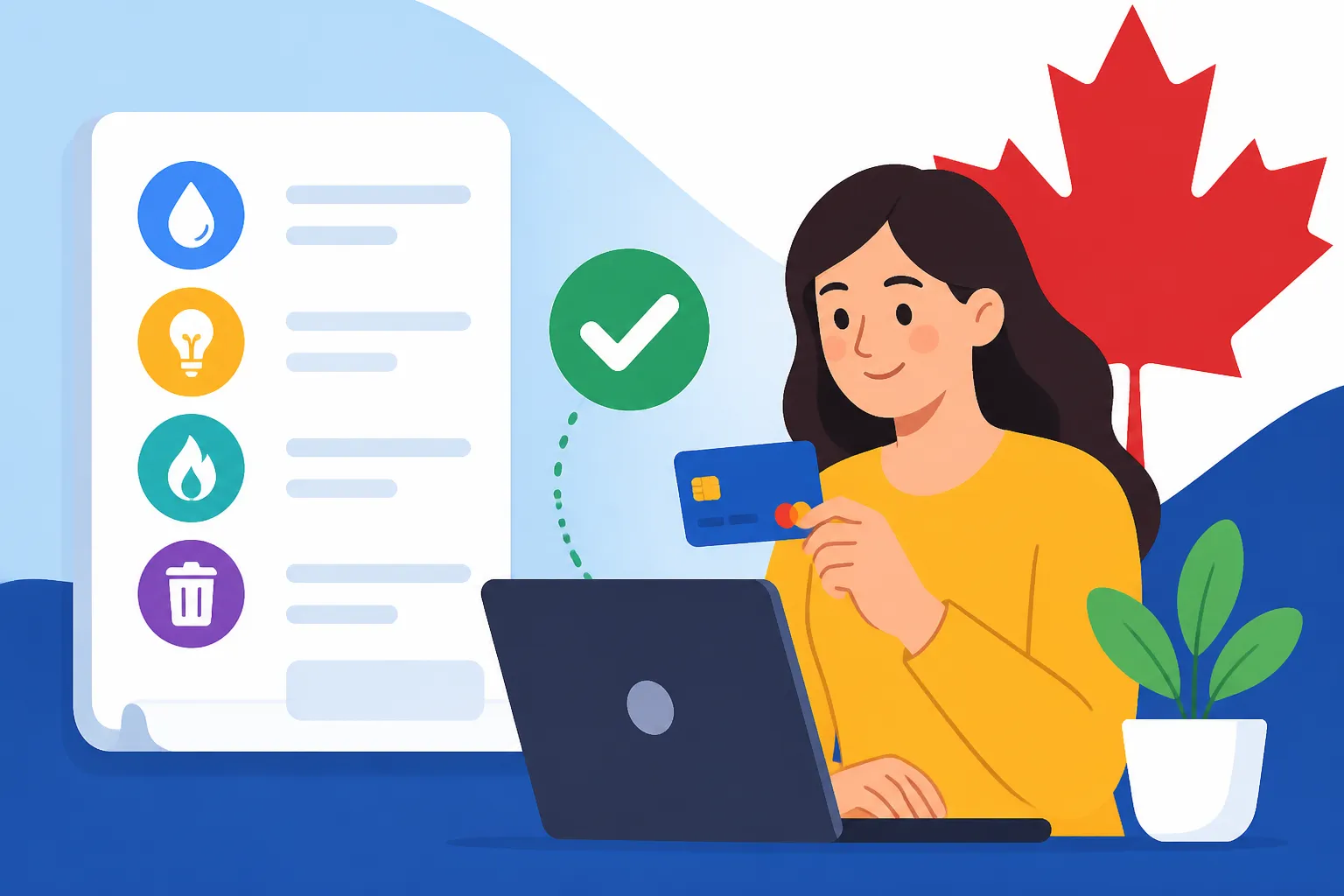
When you first land in Canada, you'll quickly realize that "utilities" isn't just one thing. It's a basket of essential services, each with its own provider and billing cycle. The most common ones you'll encounter are:
- Electricity (Hydro): This is often called "hydro" in Canada, a nod to the country's extensive hydroelectric power generation. In most provinces, you'll have one primary provider. For instance, in Ontario, it's often Hydro One for rural areas and various municipal utilities (like Toronto Hydro, Alectra Utilities) for cities. British Columbia has BC Hydro, Quebec has Hydro-Québec, and so on. These companies meter your electricity consumption in kilowatt-hours (kWh). You'll usually pay a fixed service charge, a variable charge based on your usage, and various regulatory charges.
- Natural Gas: If your home uses natural gas for heating, hot water, or cooking, you'll have a separate gas bill. Major providers include Enbridge Gas in Ontario, FortisBC in British Columbia, and ATCO Gas in Alberta. Like electricity, you'll see a fixed charge and a usage charge (often measured in cubic meters or gigajoules), plus delivery and carbon charges.
- Water and Wastewater: Water bills are typically handled by your municipality or city government. This usually covers your potable water consumption and the cost of treating your wastewater. Depending on your city, this might be a standalone bill, or it could be bundled with your property taxes if you own a home. Metered water is becoming more common, but some areas still have flat rates.
- Internet and Cable TV: While not "essential utilities" in the same life-or-death sense as power or water, reliable internet is absolutely crucial for modern living, especially for newcomers trying to stay connected, find jobs, and manage their finances. Canada has a few major players like Bell, Rogers, Telus, Shaw, and Videotron, alongside smaller regional providers and resellers. Cable TV often comes bundled with internet.
- Hot Water Tank Rental: This is a uniquely Canadian quirk that often catches newcomers by surprise. Many homes in Canada rent their hot water tanks from a third-party company (e.g., Enercare, Reliance Home Comfort) rather than owning them outright. You'll receive a separate, usually smaller, monthly or bimonthly bill for this rental service.
Understanding these different types and who provides them is your first step. It's not uncommon to have 4-6 different bills coming in for one household! If you're feeling overwhelmed, don
The Newcomer Guide to Setting Up Utilities (Hydro, Gas, Internet) in Canada offers a deeper dive into the setup process.
Deciphering Your First Bill
That first utility bill can feel like a puzzle. Don't worry, you're not alone. Many Canadians who've lived here their whole lives still scratch their heads over some charges. The key is to look for a few critical pieces of information:
- Account Number: This is paramount. It's typically a long string of numbers and letters, often found prominently at the top of your bill. You'll need this for every online payment.
- Service Address: Make sure the address listed matches your actual home. Mistakes happen!
- Billing Period: This tells you the dates your consumption was measured.
- Due Date: This is the date by which your payment must be received to avoid late fees. Mark it on your calendar!
- Total Amount Due: Pretty self-explanatory, but important to note.
- Breakdown of Charges: This is where it gets detailed. You'll see charges for:
- Consumption/Usage: The amount of electricity (kWh), gas (m3/GJ), or water you used.
- Delivery/Transmission: The cost of getting that utility from the source to your home.
- Fixed Charges/Service Fees: A base fee charged regardless of usage.
- Regulatory Charges: Fees mandated by provincial or federal regulators.
- Taxes: GST/HST usually applies to most utility services.
For example, on an electricity bill, you might see "Time-of-Use" or "Tiered" pricing, which dictates how much you pay based on the time of day or your total consumption. Gas bills will often have a "Carbon Charge" as well. Don't hesitate to call the utility company's customer service if something looks completely off. It’s better to clarify early than to pay for something you don’t understand or accidentally incur penalties.
The Initial Setup Shock
Moving to a new country and setting up a new home is already a monumental task, and the administrative burden of utilities can be a genuine source of stress. First off, you'll need to contact each utility provider individually to open accounts. This often involves providing proof of identity, your new Canadian address, and sometimes your Social Insurance Number (SIN). Some providers might even ask for a deposit, especially if you're new to Canada and don't yet have a Canadian credit history. This deposit is usually refundable after a year or so of on-time payments, but it can be an unexpected upfront cost.
I remember when I first moved, I was caught off guard by the hot water tank rental. I thought hot water was just part of the overall gas or electricity bill! Discovering another separate company to deal with and another bill to pay was a minor frustration, but it adds up when you're already trying to Understand the Cost of Living in Canada for Newcomers (2026).
The good news is that most major utility companies have dedicated support lines for new customers and often provide information in multiple languages. It’s also incredibly helpful to be connected from day one. As you're juggling setting up accounts, it's super handy to have a reliable way to communicate. Getting an eSIM from a provider like Airalo right when you land means you're connected instantly, without hunting for a physical SIM or relying solely on public Wi-Fi for those important calls to utility companies. This connectivity can make a world of difference during those initial, often overwhelming, weeks.
The Various Methods for Online Bill Payment
Once you've navigated the initial setup and received your first set of bills, the next hurdle is figuring out how to actually pay them. Thankfully, Canada is a digitally advanced country, and online payment methods are the norm – and often the most convenient option. Gone are the days of writing cheques for every bill (unless you prefer to, and some services still accept them!).
Online Banking: The Most Common Method
This is hands down the most popular and often the easiest way to pay your utility bills in Canada. Almost every major bank (RBC, TD, Scotiabank, BMO, CIBC, National Bank, Desjardins, etc.) offers robust online banking platforms, and most utility companies are registered as "payees" within these systems.
Here’s a general step-by-step guide:
- Log In to Your Online Bank Account: Use your secure login credentials (card number or username, password, and often a two-factor authentication code).
- Navigate to Bill Payments: Look for a section called "Bill Payments," "Pay Bills," or "Transfers & Payments."
- Add a Payee: This is where you tell your bank which company you want to pay. You'll typically search for the utility provider's name (e.g., "Hydro One," "Enbridge Gas," "City of Toronto Water"). Be precise, as there might be similar names.
- Enter Your Account Number: This is crucial. Your utility account number (which you found on your bill) needs to be entered exactly as it appears. Double-check this! A single incorrect digit means your payment might go to the wrong account or bounce back.
- Confirm Payee: Once added, the payee will usually appear on a list of your established billers.
- Make a Payment: Select the payee, enter the amount you wish to pay, choose the account you want to pay from, and select the payment date.
- Confirm Payment: Review all details before confirming. Your bank will provide a confirmation number. Keep this handy in case of any issues.
Payments made through online banking usually take 1-3 business days to process and appear on your utility account. It's a good idea to schedule your payments a few days before the due date to ensure they arrive on time. If you're still figuring out your banking, you might want to review How to Open a Bank Account at a Canadian Bank as a Newcomer for a smooth start.
Provider Websites and Apps
Most major utility companies have their own dedicated websites and mobile apps where you can manage your account and make payments directly. This method offers a bit more control and direct feedback, as payments are often reflected instantly (or much faster) on your utility account.
- Website Portals: You'll typically register for an online account on the utility provider's website (e.g., "MyAccount" with Hydro One or Enbridge Gas). Once registered, you link your utility account number. From there, you can often:
- View your current and past bills
- See detailed usage statistics
- Set up pre-authorized payments (more on this later)
- Make one-time payments using a credit card or by linking your bank account (via direct debit).
- Change your billing preferences (e.g., switch to paperless)
- Mobile Apps: Many larger providers also offer dedicated apps for smartphones. These apps provide similar functionalities to their websites, often with a more streamlined, user-friendly interface. They're great for checking your balance on the go or quickly making a payment.
The main advantage here is that you're dealing directly with the source, so any payment issues are usually resolved faster as there's no intermediary bank involved. The downside, of course, is that you'll need a separate login for each utility provider, which can become a hassle if you have many.
Third-Party Payment Services
While online banking and direct provider platforms cover the vast majority of utility payments in Canada, some niche third-party payment services exist. These are less common for everyday utilities like hydro or gas but might be used for other types of bills, such as property taxes, tuition fees, or sometimes even rent.
Services like PaySimply, for instance, allow you to pay various government and educational bills using a credit card, which might otherwise only accept direct bank payments. However, these services often charge a convenience fee, which can add up. For your regular monthly utilities like electricity, gas, and water, sticking with online banking or the provider's direct portal is almost always the most cost-effective and straightforward option. For a deeper dive into the nuances of paying your electricity bill, check out How Do I Pay My Hydro Bill Online in Canada?.
It's clear that online payments are the way to go. The challenge often isn't how to pay, but making sure you have all the pieces of the puzzle aligned to avoid late payments and unnecessary stress.
Setting Up Your Online Payment Accounts
Getting your online payment ducks in a row is about preparation and accuracy. It’s not a one-time thing; it’s a system you build that will serve you throughout your time in Canada. Trust me, spending a little extra time upfront to set things up correctly will save you headaches later on.
Gathering Necessary Information
Before you even log into your bank or utility provider’s portal, take a moment to collect everything you'll need. Think of it as your utility payment toolkit:
- Your Utility Bills: Your first few paper bills (or digital versions if you've already received them) are your most valuable resource. They contain all the crucial account numbers and company names.
- Utility Account Numbers: Highlight or jot down the account number for each utility: hydro, gas, water, internet, and hot water tank rental. These are unique identifiers and typically non-transferable, so if you move homes, you'll get new ones.
- Your Canadian Bank Account Details: You’ll need your bank's institution number, transit number, and your personal account number. These are usually found on a void cheque, in your online banking profile, or by contacting your bank.
- Personal Identification: For initial registration with utility providers, you might need your Social Insurance Number (SIN), driver's license number, or other government-issued ID.
- Email Address: Essential for online registrations, paperless billing, and receiving important notifications.
I can't stress this enough: double-check every single digit of your utility account number when setting up a new payee. I once accidentally transposed two numbers, and my payment for my gas bill ended up floating in limbo for a week, almost accruing a late fee! It was a minor panic, but a lesson learned the hard way. Keeping a digital or physical folder with all your utility account numbers and login details (securely, of course!) can be a lifesaver.
Registering with Your Bank or Provider
Now that you have your information, it’s time to actually set up those online payments.
-
Registering with Your Bank for Bill Payments:
- Log in to your Canadian online banking account.
- Find the "Add a Payee" or "Manage Payees" section. This is usually under "Bill Payments" or "Transfers."
- Search for your utility company. Type in the exact name as it appears on your bill (e.g., "Hydro One," "Enbridge Gas Distribution"). Some banks will have a list of suggested payees as you type.
- Enter your utility account number. As mentioned, this is critical.
- Confirm and save the payee. Your bank will usually ask you to confirm the details before adding the payee to your list.
Once added, the process for paying is as simple as selecting the payee, entering the amount, and choosing the payment date. If you're new to Canada, you'll find comprehensive guidance on How to Set Up Online and Mobile Banking in Canada which will greatly assist you in this step.
-
Registering Directly with Utility Providers (Online Portals/Apps):
- Visit the utility company's website. Look for a "Register," "Sign Up," or "My Account" link.
- Create an account. This typically involves providing your name, email, and creating a password.
- Link your utility account. You'll be asked for your utility account number and possibly other identifying information (e.g., your address, a recent bill amount) to verify you're the account holder.
- Explore payment options. Once logged in, you can often save credit card details for future payments or set up pre-authorized debit (PAD) directly from your bank account.
This dual approach means you have options. Many prefer the convenience of paying all bills through one bank portal, while others like the direct control and detailed usage reports offered by the utility company's own site.
Autopay vs. Manual Payments: Pros and Cons
This is a big decision for newcomers, especially as you get used to Canadian billing cycles.
Autopay (Pre-Authorized Debit – PAD):
This is where you authorize the utility company or your bank to automatically withdraw the bill amount from your bank account on or around the due date.
- Pros:
- Convenience: Once set up, you literally don't have to think about it. No more missed payments or late fees.
- Peace of Mind: You know your bills are always paid on time.
- Credit Building: Consistent, on-time payments, even via autopay, can positively contribute to your Canadian credit history.
- Cons:
- Less Control: If there's an error on your bill, or your usage is unexpectedly high, the money will be withdrawn anyway. Recovering it can be a hassle.
- Budget Fluctuations: If your utility usage varies significantly (e.g., high heating bills in winter), you might see large, unexpected withdrawals.
- NSF Risk: If you don't have enough funds in your account when the payment is due, you'll incur Non-Sufficient Funds (NSF) fees from both your bank and the utility company, which can be hefty.
Manual Payments:
This involves actively logging into your bank or the utility provider's website each billing cycle to initiate a payment.
- Pros:
- Full Control: You review every bill before paying, allowing you to catch errors or unusually high charges.
- Budget Flexibility: You decide when and how much to pay, giving you more control over your cash flow.
- No NSF Risk (for forgotten payments): If you forget to pay, you'll get a late fee, but not an NSF fee from an attempted withdrawal from an empty account.
- Cons:
- Risk of Missing Payments: It's easy to forget, especially when you have multiple bills.
- Time-Consuming: Requires active management and setting reminders.
- Late Fees: If you forget, late fees will apply.
Many newcomers start with manual payments until they're comfortable with the billing cycles and their typical usage patterns. After a few months, once you have a good grasp of your expenses, you might opt for autopay for some or all of your utilities. To understand more about setting up automatic payments directly with your bank, you can refer to How Do I Set Up Pre-Authorized Payments at a Canadian Bank?.
Troubleshooting Common Online Payment Issues
Even with the best intentions and meticulous setup, things can sometimes go sideways. Technology glitches, human error, or simple miscommunications can lead to online payment problems. Don't panic! Most issues are resolvable, but knowing what to do and who to contact will save you a lot of stress.
Payment Delays and Missing Payments
This is probably the most common online payment headache. You sent the payment, your bank says it went through, but the utility company claims they haven't received it.
- Check Processing Times: Remember, bank bill payments typically take 1-3 business days to reach the payee. If you paid on a Friday, it might not show up until the following Tuesday or Wednesday. Weekends and public holidays don't count as business days.
- Verify Your Bank Statement: Log into your online banking and check your transaction history. Does the payment show as processed? Is the correct amount listed?
- Check the Utility Account Online: Most utility company portals (e.g., MyAccount with Hydro One) update fairly quickly. Log in and see if the payment has been posted.
- Confirmation Numbers: Always keep the confirmation number provided by your bank after a successful online payment. This is your proof of payment.
- Who to Call First: If a reasonable processing time has passed (say, 3-4 business days) and the payment still isn't reflected, contact your bank first. They can trace the payment using your confirmation number. If they confirm it was sent to the correct payee account, then contact the utility company. Provide them with your bank's confirmation number and the date of payment.
- Non-Sufficient Funds (NSF): If you had autopay set up and there wasn't enough money in your account on the payment date, the payment will "bounce." You'll be charged an NSF fee by your bank (often $45-$50) and a separate NSF fee by the utility company. Your payment will then be outstanding, and you'll need to make it again, plus the fees. This is why careful budgeting and monitoring your account balance are vital, especially if you rely on autopay.
Dealing with Account Lockouts and Technical Glitches
It happens to the best of us: you've forgotten your password for the fifth time, or the website just won't load properly.
- Password Resets: The "Forgot Password?" or "Forgot Username?" links are your friends. They usually involve answering security questions or receiving a verification code via email or text.
- Two-Factor Authentication (2FA): Most banks and many utility providers use 2FA for enhanced security (e.g., a code sent to your phone). Make sure your registered phone number or email is up to date, especially if you recently changed your Canadian mobile provider. If you're on a plan with limited data or roaming, this can be an unexpected hurdle.
- Browser Issues: Sometimes, it's just your browser acting up. Try clearing your browser's cache and cookies, or try using a different browser (e.g., if you're using Chrome, try Firefox or Edge). Ensure your browser is up to date.
- Website Maintenance: Occasionally, online portals are down for maintenance. Check the utility company's social media pages or website for announcements about scheduled downtime.
- Scam Awareness: Be very wary of emails or texts that claim to be from your utility company demanding immediate payment via unusual methods (e.g., gift cards, cryptocurrency). Real utility companies communicate through official channels, and their online payment systems are secure. If in doubt, always go directly to the official website or call the customer service number listed on your bill (not one from a suspicious email).
Contacting Customer Support Effectively
When you need to call customer support, preparation is key to a smoother, less frustrating experience.
- Have All Information Ready: Before you dial, gather your account number, the date and amount of your payment, any confirmation numbers, and a brief summary of the issue.
- Be Patient and Polite: Call volumes can be high, and wait times can be long. A friendly demeanor, even when frustrated, often gets better results.
- Note Everything Down: As soon as you connect, write down the date and time of your call, the name of the representative you spoke with, and a reference number if they provide one. Take notes on what was discussed and any actions promised. This paper trail is invaluable if you need to follow up.
- Use Online Chat if Available: Many providers now offer online chat support. This can sometimes be faster than phone calls, and crucially, provides a written transcript of your conversation, which is excellent for documentation.
- Escalate if Necessary: If your issue isn't resolved after the first call, politely ask to speak with a supervisor or manager. Clearly explain that you've already contacted them and have a reference number.
Remember that moving to a new country like Canada is a huge undertaking, with so many moving parts. Companies like Sirelo can really help streamline the actual relocation process, allowing you to focus more on getting settled, finding a How to Find a Reliable Real Estate Agent in Canada, and yes, figuring out those utility bills, instead of the logistics of getting your belongings here. Less stress on the move means more energy for these essential administrative tasks.
Managing Your Utility Budget and Avoiding Surprises
One of the biggest eye-openers for newcomers, especially those from warmer climates, is how much utility costs can fluctuate seasonally in Canada. Winter heating bills can feel like a punch to the gut, while summer air conditioning can also add up. Managing these costs effectively requires a bit of foresight and strategic planning.
Understanding Seasonal Fluctuations
Canada's climate means that your utility bills are rarely consistent throughout the year.
- Winter Spikes: From roughly October to April (depending on the region), your natural gas and/or electricity bills will likely soar due to heating. Insulation, window quality, and your personal comfort level (how warm you like your home) all play a huge role. I remember my first Canadian winter; I was utterly shocked by my first Enbridge Gas bill. It was triple what I expected!
- Summer Bumps: While not as dramatic as winter, hotter summer months (July and August) can see an increase in electricity consumption for air conditioning, especially in major cities like Toronto or Montreal where summers can be quite humid.
- Water Usage: Water bills tend to be more consistent but might increase in summer if you're watering a garden or lawn.
It’s crucial to factor these seasonal variations into your overall household budget. Don't just budget for the average monthly bill; anticipate the higher costs during peak seasons. You can look at historical usage data on your utility provider's online portal to get an idea of typical costs for your specific address, which can be immensely helpful for newcomers. This understanding contributes significantly to your overall [Understanding the Cost of Living in Canada for Newcomers (2026)].
Paperless Billing and Payment Reminders
Embracing digital solutions isn't just about paying bills online; it's also about receiving them and managing reminders.
- Paperless Billing: Most utility companies offer the option to switch to paperless (e-billing).
- Pros: Environmentally friendly, reduces clutter, bills are accessible anytime/anywhere through your online portal or email, often receive bills earlier than postal mail. Some providers even offer a small incentive or contest entry for signing up for paperless billing.
- Cons: Requires you to regularly check your email or log into portals; easy to overlook an email amidst a cluttered inbox.
- Payment Reminders: Many utility providers and even some banks offer free payment reminder services.
- Email Reminders: You'll receive an email a few days before your bill is due, reminding you to pay.
- Text Message (SMS) Reminders: Some companies offer this, which can be very effective as people tend to check text messages immediately.
- Calendar Reminders: For those who prefer manual payments, setting up recurring calendar reminders (e.g., on your phone or computer) for each utility bill due date is a simple yet effective strategy. This way, you get the benefits of manual control without the risk of forgetting.
Exploring Budget Billing Options
To smooth out those seasonal spikes and make budgeting easier, many utility companies offer a "Budget Billing" or "Equal Payment Plan" option.
- How it Works: The utility company estimates your annual consumption based on your previous usage (or typical usage for the property if you're new). They then divide this estimated annual cost into 12 equal monthly payments.
- The Reconciliation: At the end of the 12-month period, the utility company will "reconcile" your account. If you've used more than estimated, you'll owe the difference. If you've used less, you'll receive a credit. Your monthly payment amount will then be adjusted for the next year based on your actual usage.
- Pros:
- Predictable Expenses: You pay the same amount every month, making budgeting much simpler and eliminating those stressful winter bill surprises.
- Avoids Large Bills: No huge spikes means better cash flow management.
- Cons:
- Year-End Catch-Up: You might still have a lump sum to pay or receive at the end of the year, which can sometimes be an unwelcome surprise if your actual usage significantly differed from the estimate.
- Not Always for Newcomers: Some companies require at least 6-12 months of billing history at the service address before you can enroll in a budget billing plan. You might have to go through one full cycle of seasonal fluctuations before you're eligible.
It's definitely worth checking with your natural gas and electricity providers to see if they offer budget billing and what the eligibility requirements are. Many newcomers find this option invaluable after their first year in Canada, turning volatile utility costs into manageable, predictable expenses.
| Payment Method | Convenience | Control | Processing Time (Typical) | Fees (Typical) | Best For |
|---|---|---|---|---|---|
| Online Banking | High | Moderate | 1-3 Business Days | None | Most regular utility bills |
| Provider Website/App | High | High | Instant – 1 Business Day | None (sometimes credit card fees) | Detailed usage tracking, quick confirmations |
| Autopay (PAD) | Very High | Low | On due date | NSF fees if insufficient funds | Set-it-and-forget-it, avoiding late fees |
| Third-Party Service | Moderate | Moderate | 1-5 Business Days | Service fees | Niche payments (e.g., property tax with credit card) |
This table can give you a quick overview of the main differences between your options. Ultimately, the best method for you will depend on your personal preferences, comfort with technology, and how hands-on you want to be with your monthly finances. The important thing is that Canada offers ample online tools to make managing your utility bills as painless as possible, once you've learned the ropes.
Disclaimer
The information provided in this guide is intended for general informational purposes only and does not constitute financial, legal, or professional advice. While we strive to keep the content up-to-date and accurate, utility provider policies, regulations, and payment methods can change. Always refer to the official websites and customer service channels of your specific utility providers and banking institutions for the most current and accurate information. It is your responsibility to ensure timely and accurate payment of your bills.