Can I Apply for a Canadian Visa Online?
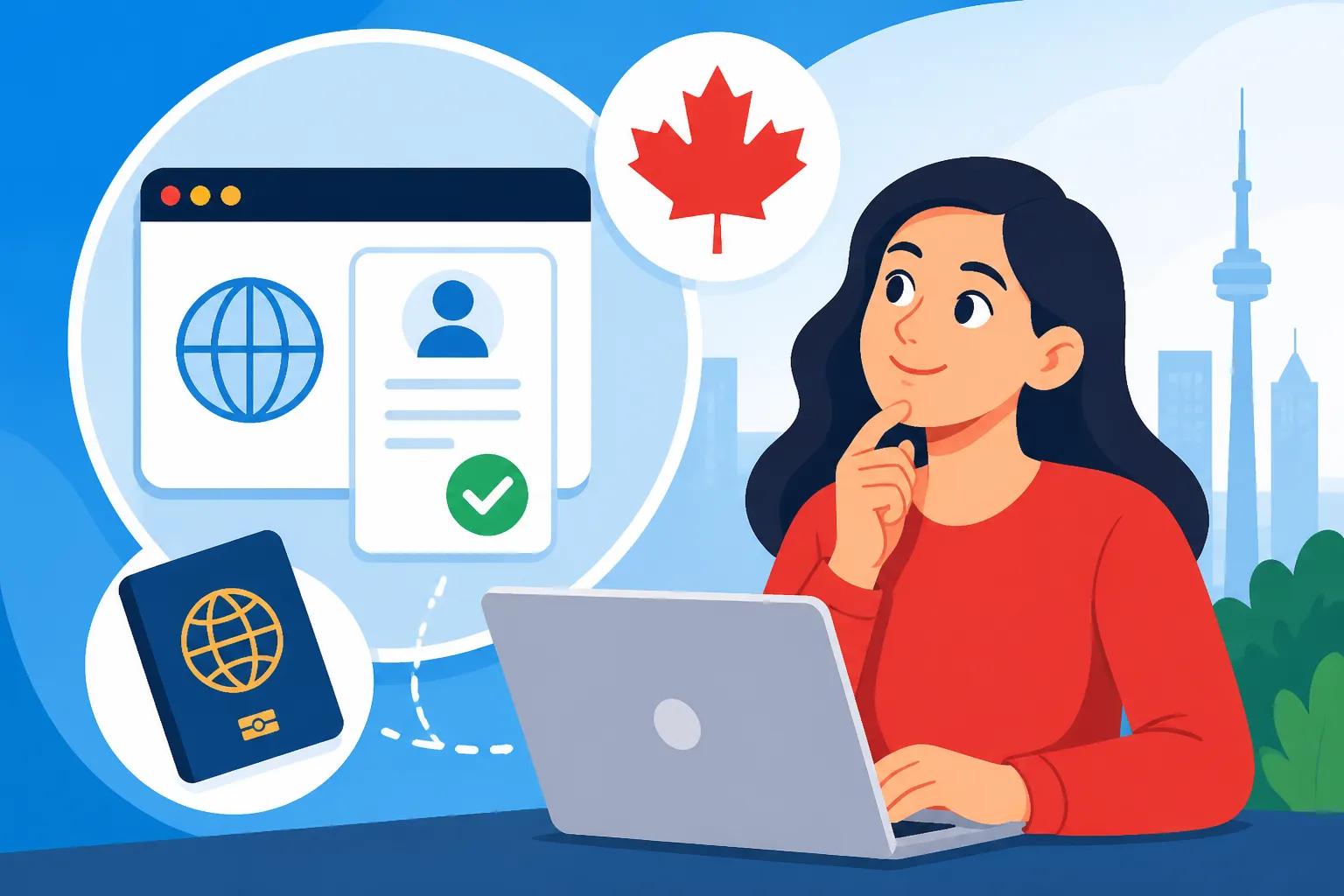
So, you've decided to make the leap and move to Canada? Fantastic! But let's be honest, the thought of navigating the Canadian immigration system can feel like trying to solve a Rubik's Cube blindfolded. The good news is, in this digital age, many Canadian visa applications can indeed be completed and submitted entirely online. This comprehensive guide will walk you through the ins and outs of applying for your Canadian visa online, from understanding which applications qualify to tips for a smooth submission, saving you a ton of headaches and paper cuts.
The Digital Gateway: Which Canadian Visas Can You Apply For Online?
Gone are the days when applying for a visa meant endless trips to an embassy and mountains of paper forms. Canada, thankfully, has embraced the digital age, making the process much more accessible for aspiring newcomers. The vast majority of temporary and permanent residence applications can now be managed through the Immigration, Refugees and Citizenship Canada (IRCC) online portal. This isn't just a convenience; it's a game-changer, especially when you're dealing with different time zones and trying to juggle everything else that comes with an international move.
Visitor Visas and eTAs: The Simpler Side of Entry
For many, the first interaction with Canada's immigration system is through a visitor visa or an Electronic Travel Authorization (eTA). If you're planning a trip to Canada for tourism, visiting family, or even a short business trip, chances are you'll be able to apply online.
The eTA, for instance, is exclusively an online application. If you're from a visa-exempt country and flying into Canada, you'll need one. The process is remarkably straightforward: you fill out a simple form, pay a small fee, and usually get approval within minutes, all from your computer or smartphone. It’s designed for efficiency, and honestly, it’s one of the least stressful parts of the journey. For those who require a full visitor visa, the process is a bit more involved, asking for more detailed information about your travel history, finances, and ties to your home country. But even these are primarily handled online, allowing you to upload all your supporting documents, write your explanations, and track your application's progress without ever setting foot in a visa application centre until it’s time to get your passport stamped, if required. Make sure to check out our guide on how to apply for a visitor visa or eTA for Canada to get started.
Study Permits: Your Path to Canadian Education
Dreaming of hitting the books in Montreal, exploring the campus life in Toronto, or perhaps immersing yourself in Vancouver's vibrant academic scene? Applying for a study permit is almost entirely an online affair these days. Once you've secured your acceptance letter from a Designated Learning Institution (DLI) – a crucial first step, by the way – you'll create an online profile with IRCC.
Through this portal, you'll submit your application, upload your letter of acceptance, proof of funds (showing you can support yourself financially, because let's face it, tuition and living expenses are no joke!), passport scans, and any other required documents. The online system streamlines the submission of transcripts, language test results, and even your Statement of Purpose. It’s a huge relief to not have to mail stacks of paper across continents. Just remember, while the application is online, there are often biometric requirements, which do require an in-person visit to a designated service point. If you're wondering how much it costs to study at the University of Toronto, or any other institution, you'll need to factor in these application and biometric fees alongside tuition. Don't forget to dive into our in-depth guide on how to apply for a study permit for Canada: the full guide.
Work Permits: Unlocking Your Career in Canada
For many expats, a Canadian work permit is the golden ticket to building a new life here. Whether you have an employer-specific work permit supported by a Labour Market Impact Assessment (LMIA) or an open work permit, the application process for most of these is readily available online. This is particularly beneficial given the complexity and documentation often involved.
You'll upload your offer of employment, any relevant LMIAs, educational certificates, professional licenses, and, of course, your meticulously crafted Canadian-style resume and cover letter. The online system allows for careful organization of all these files. One common scenario is applying for an open work permit if your spouse is already working in Canada on a skilled worker permit. This allows you flexibility and freedom to seek employment once you arrive. Understanding Canadian work permits: LMIA and exempt explained will give you a detailed overview of the different types. The efficiency of the online system means that, in some cases, once your application is approved, you might receive a Letter of Introduction that you present to a Border Services Officer upon arrival, who then issues your actual work permit. It’s a seamless transition designed to get you into the Canadian workforce faster.
Permanent Residence: The Ultimate Online Journey
This is the big one, the dream for so many. The path to permanent residence (PR) in Canada, particularly through the popular Express Entry system, is almost entirely digital from start to finish. You begin by creating an Express Entry profile, where you input details about your age, education, work experience, language proficiency, and other factors that contribute to your Comprehensive Ranking System (CRS) score.
This online profile is your gateway. If you receive an Invitation to Apply (ITA) based on your CRS score, that’s when the real online application begins. You'll then have a limited window, typically 60 days, to submit a complete electronic application for permanent residence (e-APR) through the IRCC portal. This stage demands a significant amount of documentation: police certificates from every country you’ve lived in for six months or more since turning 18, educational credential assessments, medical exam results, employment reference letters, and more. It's a comprehensive digital dossier. Thankfully, the online portal is designed to guide you through the required documents, often with specific upload fields for each. If you're mapping out this journey, How Express Entry Works for Permanent Residence in Canada (2026) is an absolute must-read, as is how to qualify for the Federal Skilled Worker Program in Canada. The online system ensures that everything is captured, reviewed, and processed electronically, making the journey to becoming a permanent resident as efficient as possible.
Navigating the IRCC Online Portal: A Step-by-Step Walkthrough
The IRCC online portal is where the magic happens, or where the headaches begin, depending on how prepared you are. It is worth noting that it's a powerful tool, but it demands your attention to detail. Think of it less like a website and more like your personal immigration dashboard. Getting it right here is key to a smooth application.
Creating Your Secure Account and Profile
Your journey into the Canadian immigration system begins with creating a secure online account on the IRCC website. This isn't just about clicking a few buttons; it's about establishing your identity within the system. You’ll typically choose between signing in with a GCKey or using a Sign-in Partner (like your Canadian bank, if you already have one). The GCKey is usually the standard for those applying from abroad and requires you to create a username, password, and security questions. Keep these details safe, write them down somewhere secure, and never share them. This account will be your lifeline throughout your application process, allowing you to submit documents, pay fees, and receive important updates.
Once your account is set up, you'll often be prompted to create your specific application profile. For Express Entry, this involves answering a series of questions that will determine your eligibility and CRS score. For temporary visas, it's about indicating what kind of permit you're applying for. This initial profiling stage is critical; be honest and accurate. Any discrepancies here could cause major delays or even refusal later on. It’s like building the foundation of your Canadian dream home – you want it to be solid!
Gathering and Digitizing Your Essential Documents
This is arguably the most time-consuming part, and where most people get tripped up. The IRCC online portal provides a personalized document checklist once you've started your application. You'll see specific slots for your passport, educational transcripts, language test results, proof of funds, police certificates, medical exam reports, and so much more. Each document needs to be scanned and uploaded as a digital file, usually in PDF format, and often with strict file size limits.
My advice? Start early! Don't wait until the last minute. Getting your documents ready for an IRCC application is a project in itself. If you're uploading a proof of funds statement, for example, ensure it's up-to-date and clearly shows the required amount in Canadian dollars. For employment letters, they need to be on company letterhead, signed, and specify your duties, hours, and salary. It sounds simple, but chasing down old employers for precise letters can be a nightmare. You might also need to get documents translated by a certified translator, with an affidavit, if they're not in English or French. Remember, IRCC won't accept a Google Translate version! This stage is all about meticulousness. If you miss a document or submit one that doesn't meet the requirements, your application could be returned as incomplete or refused. Trust me, you don't want to go through that.
Paying Fees and Submitting Your Application
Once all your documents are uploaded and you've double-checked every piece of information (and triple-checked, and quadrupled-checked – you get the idea), it's time to pay the fees. The IRCC portal integrates a secure online payment system, typically allowing you to pay with a credit or debit card. The fees vary significantly depending on the type of application – a visitor visa is relatively inexpensive, while permanent residence applications, including right of permanent residence fees, can run into hundreds or even thousands of dollars.
After successful payment, you'll hit that "submit" button. This is often accompanied by a moment of both relief and sheer terror! You’ll usually receive an immediate confirmation of submission, along with an application number. Keep this number safe, as it's your primary reference for all future communications with IRCC. After submission, you might also receive instructions for providing biometrics (fingerprints and photo) at a designated service point, which is an in-person step. This usually needs to be done within 30 days of receiving the instruction letter. Once submitted, the waiting game begins. You can track the status of your application through your IRCC online account, which will update as your application moves through various stages of processing.
Common Hurdles and Insider Tips for Online Applications
Applying for a Canadian visa online, while convenient, isn't without its challenges. Expats often encounter a fair share of frustrating moments. But with a bit of foresight and preparation, you can navigate these hurdles like a seasoned pro.
Technical Glitches and File Size Frustrations
Let’s be real: technology isn't always perfect. The IRCC portal, while robust, can have its moments. You might encounter slow loading times, especially during peak application periods, or struggle with uploading documents if your internet connection isn't stellar. One of the most common frustrations is file size limits. Each document upload slot usually has a maximum file size, often 2-4 MB. If your scanned police certificate is 10 MB, you'll need to compress it without sacrificing readability. There are plenty of free online tools that can help with this, but it adds an extra step.
My pro tip: Save your work frequently! The portal doesn't always automatically save your progress, and getting logged out after spending an hour filling out forms is enough to make anyone want to scream. Also, use a reliable computer and internet connection. Trying to submit a complex PR application from a public library's slow Wi-Fi or your phone is just asking for trouble. If you run into persistent technical issues, try clearing your browser cache, using a different browser (Chrome often works well), or even trying again at a less busy time of day (e.g., late at night or early morning in Canada). Remember, this process is about patience and perseverance.
Accuracy, Authenticity, and Avoiding Red Flags
The online format means IRCC relies heavily on the authenticity and accuracy of the digital documents you submit. Any misrepresentation, even an accidental one, can lead to serious consequences, including a ban from applying to Canada for several years. This is where meticulous proofreading comes in.
Ensure every date, name, and number matches exactly across all documents. If your passport says "Jan" and your educational certificate says "January," that's usually fine, but inconsistent spellings of your name or different birthdates are huge red flags. Make sure all your answers in the online forms are consistent with the supporting documents you're uploading. For example, if you claim a certain number of years of work experience, ensure your employment letters clearly corroborate that. This is also where you need to be scrupulously honest about everything, from your marital status to any past criminal convictions, no matter how minor. Trying to hide something might seem easier in the short term, but IRCC has ways of finding out, and the repercussions are severe. They do conduct background checks, and you will likely need to provide details for medical exams and police certificates for Canadian immigration. Being upfront and providing comprehensive documentation the first time around will save you immense stress down the line.
Post-Submission: What Happens Next and Staying Informed
Once you've hit that submit button, it's natural to feel a mix of relief and anxiety. The online portal doesn't end there; it becomes your primary channel for communication with IRCC. You’ll receive updates on your application status, requests for additional documents, or invitations for interviews directly through your account. Check it regularly, and also keep an eye on the email address linked to your account, including your spam folder.
During this waiting period, resisting the urge to contact IRCC constantly is important. They typically have published processing times for different application types, and contacting them before your application has exceeded these times usually won't speed things up. Patience is a virtue, my friend. If you do need to update your application with new information – say, you got a new job, or your marital status changed – you can usually do so through your online account using a web form. And while you’re waiting, you can also start planning for life in Canada. This is where resources like Sirelo can be incredibly helpful in organizing your move, finding international movers, and getting your possessions sorted. Knowing that you're covered for potential health emergencies during the crucial waiting period for provincial health coverage in Canada is also smart. Private health insurance, such as options provided by Cigna Global, can bridge this gap, ensuring you have peace of mind until your provincial plan kicks in. Take the time to consider how to buy private health insurance as a newcomer in Canada to protect yourself from unexpected costs. Remember, even after your visa is approved, the journey isn't over. Our guide on The Complete Guide to Moving to Canada: Your First 90 Days (2026) will be invaluable as you prepare for your new life in the Great White North.
| Application Type | Online Availability | Common Documents Required (Digital) | Biometrics Required? |
|---|---|---|---|
| eTA (Electronic Travel Authorization) | Fully Online | Passport details, personal info | No |
| Visitor Visa | Mostly Online | Passport, travel history, financial proof, invitation letter | Yes (for most) |
| Study Permit | Mostly Online | Passport, DLI Acceptance Letter, proof of funds, educational transcripts | Yes |
| Work Permit | Mostly Online | Passport, offer of employment, LMIA (if applicable), educational certificates | Yes |
| Express Entry (PR) | Fully Online | Passport, ECA, language test results, work experience letters, police certs, medical exam | Yes |
| Family Sponsorship | Mostly Online | Passport, marriage/birth certificates, sponsor's documents, proof of relationship | Yes (for sponsored) |
Disclaimer
The information provided in this guide is intended for general informational purposes only and does not constitute legal advice. Immigration policies and procedures for Canada are subject to change without notice. Always consult the official Immigration, Refugees and Citizenship Canada (IRCC) website or a Regulated Canadian Immigration Consultant (RCIC) for the most accurate and up-to-date information regarding your specific situation. Reliance on any information in this guide is solely at your own risk.