How to Set Up Internet and Cable in Canada
One of the first things you realize when you land in Canada, after grappling with customs and the sheer scale of the airports, is just how utterly dependent you are on reliable internet and communication. It's not just about streaming your favourite shows or keeping up with family back home; it’s about applying for jobs, registering for health services, navigating new cities, and frankly, maintaining a semblance of sanity when everything else feels overwhelming. This guide is going to walk you through the often-confusing world of setting up internet and cable in your new Canadian abode, ensuring you stay connected from day one.
Understanding Canada's Internet and Cable Landscape
Canada's telecommunications sector can feel like a bit of a labyrinth, especially for newcomers accustomed to a different system. You’ll find a mix of huge national players, strong regional contenders, and a growing number of smaller, independent providers. Knowing who's who and what types of connections are available is your first step to making an informed decision.
Major Providers and Their Reach
The Canadian market is largely dominated by a few colossal names, often referred to as "incumbents" because they own the vast majority of the infrastructure (the cables and lines in the ground).
- Rogers: Primarily strong in Ontario, New Brunswick, and Newfoundland. They offer a comprehensive suite of services including internet, cable TV, home phone, and wireless. Their network often relies on coaxial cable, offering high speeds in urban and suburban areas.
- Bell: A national behemoth, particularly strong in Ontario, Quebec, and Atlantic Canada. Bell is well-known for its extensive fibre optic network, branded as "Fibe," which delivers some of the fastest internet speeds in the country. They also provide mobile, TV, and home phone services.
- Telus: Dominant in Western Canada, including British Columbia and Alberta. Like Bell, Telus has invested heavily in fibre optic technology, providing fast and reliable internet. They also offer mobile, TV, and home phone services.
- Shaw: Historically a major player in Western Canada alongside Telus, Shaw's internet and cable operations were recently acquired by Rogers. You might still see Shaw branding for a while, but their services are now integrated under the Rogers umbrella. This means less choice in some areas, which can be frustrating for consumers.
- Vidéotron: The major player in Quebec, providing internet, mobile, and TV services. They are a strong regional competitor, often lauded for customer service and competitive pricing within their service areas.
- Cogeco: Prominent in parts of Ontario and Quebec, offering internet, TV, and phone services, particularly in smaller cities and towns where the larger incumbents might have less fibre penetration.
Beyond these giants, you'll encounter a plethora of independent providers, sometimes called "resellers." These companies lease infrastructure from the major players (like Bell or Rogers) but offer their own pricing, customer service, and packages. Names like TekSavvy, Fido, Virgin Plus, Oxio, and Start.ca are popular choices. They often provide more competitive rates and can be a fantastic option, especially if you’re trying to stretch your budget. The catch? Sometimes their customer service, while often more personal, might not have the same immediate resources as the big guys.
Types of Internet Connections Available
Understanding the technology behind your internet connection is crucial because it directly impacts speed, reliability, and ultimately, cost.
- Fibre Optic (FTTH – Fibre to the Home): This is the gold standard. Fibre optic cables use light to transmit data, offering incredibly fast download and upload speeds, low latency (great for gaming and video calls), and high reliability. Bell and Telus are champions of this technology. If you live in a new development or a well-serviced urban area, you might have access to fibre. It's generally the most expensive option but delivers premium performance.
- Cable Internet: This is the most common type of high-speed internet in Canada, typically offered by providers like Rogers, Shaw (now Rogers), Vidéotron, and Cogeco. It uses the same coaxial cables that deliver cable TV. Cable internet offers excellent speeds for most households, often ranging from 100 Mbps to 1 Gbps or even higher. It’s generally very reliable, but speeds can sometimes fluctuate during peak usage hours if many people in your neighbourhood are on the network simultaneously.
- DSL (Digital Subscriber Line): While less common for high-speed residential internet now, DSL uses traditional copper telephone lines. It's generally slower than cable or fibre, with speeds often capping out around 50-100 Mbps, though "fibre-to-the-node" DSL (where fibre runs close to your neighbourhood) can offer faster speeds. DSL is typically more affordable and often available in more remote or older areas where fibre or cable infrastructure hasn't been upgraded. It's usually very stable but might not meet the demands of heavy streaming or multiple users.
- Satellite Internet: For those living in truly rural or remote areas where fibre, cable, or even reliable DSL isn't available, satellite internet is often the only option. Companies like Starlink (from SpaceX) and Xplornet provide this service. While speeds have improved dramatically with new satellite constellations, it still comes with higher latency and can be more expensive than other options. Weather conditions can also affect performance.
In bustling cities like Toronto or Vancouver, you’ll likely have access to fibre and cable, giving you plenty of choices. In smaller towns, it might be a mix of cable and DSL, with fibre slowly expanding. When you’re looking at properties, it's always a good idea to check what internet services are actually available at that specific address.
Deciphering Internet and Cable Packages
Providers love to bundle services, and it can be hard to know if you're getting a good deal or just paying for things you don't need.
- Bundles: You'll often see offers for "internet + TV + home phone" or "internet + TV" packages. The idea is that you save money by consolidating services with one provider. Sometimes, these bundles are genuinely good value, especially during introductory periods. However, always calculate the cost of each service separately to ensure the bundle isn't forcing you into a more expensive TV package than you actually want. Many newcomers, myself included, find that with all the streaming options out there, traditional cable TV isn't a necessity anymore.
- Data Caps vs. Unlimited: Most internet plans in Canada now offer unlimited data, which is fantastic news for anyone who streams, works from home, or has multiple devices. However, some lower-tier plans, or plans from smaller providers, might still have data caps. Always confirm this! Running over a data cap can lead to significant extra charges.
- Download/Upload Speeds: Internet speeds are measured in Megabits per second (Mbps) or Gigabits per second (Gbps). Download speed dictates how fast you can receive data (streaming, downloading files), while upload speed determines how fast you can send data (video calls, uploading large files). For most households, 50-100 Mbps download is sufficient for basic browsing and streaming. If you have multiple users, stream 4K content, or work from home with heavy video conferencing, you'll want 250 Mbps or higher. Don't forget upload speed if you're uploading large files or doing a lot of video calls for work.
- Cable TV Packages: If you do opt for cable TV, you'll find a range of packages.
- Basic/Starter: This usually includes local Canadian channels, often some U.S. network channels, and a few specialty channels. It's the most affordable option.
- Themed Packages: These offer channels grouped by interest – sports, movies, lifestyle, news, etc. You can often customize by adding these smaller "packs."
- Premium Channels: Think HBO, Showtime, Super Écran (in French-speaking Canada), which come at a higher monthly cost.
- International Channels: Many providers offer channels in various languages, which can be a comfort for newcomers wanting content from their home country, but these are usually an add-on.
Choosing the Right Internet Provider for Your Canadian Home
With so many choices, settling on the right internet and cable provider can feel like a big decision. It boils down to a careful assessment of your personal needs, your budget, and what's actually available at your doorstep.
Assessing Your Needs and Budget
Before you even start looking at providers, take a moment to honestly evaluate what you need and what you can realistically afford. Overpaying for internet is a common trap, especially when you're overwhelmed with new information.
- How Many Users and Devices? Is it just you, or are you moving with a family of four, each with phones, laptops, and tablets? The more devices and users, the more bandwidth you'll require. A single person might be fine with a 50 Mbps plan, but a family of four with two teenagers streaming and gaming simultaneously will likely need 250 Mbps or more.
- What Will You Be Doing Online?
- Basic Browsing and Email: Almost any plan will cover this.
- Standard Definition (SD) Streaming: 2-5 Mbps per stream.
- High Definition (HD) Streaming: 5-8 Mbps per stream.
- 4K/Ultra HD (UHD) Streaming: 25 Mbps or more per stream. If you have a 4K TV and subscribe to services that offer 4K content, you'll need higher speeds.
- Online Gaming: Requires good download speed (25-50 Mbps is often fine) and, more importantly, low latency. Fibre connections excel here.
- Working from Home/Video Conferencing: For stable video calls (Zoom, Teams), you need decent upload speeds (at least 10-20 Mbps). If you regularly upload large files for work, even higher upload speeds will be beneficial.
- Budget Considerations: This is often the trickiest part.
- Introductory Offers: Almost every provider will lure you in with a fantastic promotional rate for the first 6, 12, or even 24 months. Be very aware of what the price jumps to after this period. Many people switch providers regularly to chase these deals, but that might not be practical for you right away.
- Contract Lengths: Are you signing up for a 1-year, 2-year, or no-contract plan? Be cautious with long contracts if your living situation might change, as early termination fees can be hefty.
- Hidden Fees: Installation fees, activation fees, equipment rental fees – these can all add up. Always ask for a full breakdown of all one-time and recurring costs. Sometimes buying your own modem and router can save you rental fees in the long run.
Incumbent vs. Independent Providers
The choice between a big national player and a smaller independent provider is one many Canadians grapple with. Both have their merits and drawbacks.
-
Large Incumbent Providers (Bell, Rogers, Telus, Vidéotron, Cogeco):
- Pros:
- Reliability and Speed: They own the infrastructure, so they often offer the fastest speeds, especially with fibre optic, and generally have robust networks.
- Bundles: They are masters of the "triple play" (internet, TV, phone) or "quad play" (add mobile) bundles, which can sometimes save money if you need all those services.
- Customer Service Resources: They have extensive call centres, online support, and physical stores, potentially offering more immediate help.
- Advanced Equipment: Often provide the latest modems and routers, and sometimes offer smart home integrations.
- Cons:
- Cost: Generally more expensive than independent providers, especially after promotional rates expire.
- Customer Service Experience: While extensive, it can sometimes feel impersonal or lead to long wait times.
- Less Flexibility: Plans can be rigid, and customizability might be limited.
- Pros:
-
Independent Providers (TekSavvy, Fido, Virgin Plus, Oxio, Start.ca):
- Pros:
- Affordability: This is their biggest selling point. They almost always offer more competitive pricing for similar speeds, as they have lower overheads.
- Customer Service: Many independents pride themselves on more personalized and responsive customer service.
- Transparency: Often more upfront about pricing and fees, with fewer hidden costs.
- Flexibility: More likely to offer no-contract options.
- Cons:
- Infrastructure Reliance: They use the incumbent's infrastructure, meaning if there's a network outage, they are dependent on the incumbent to fix it, which could sometimes lead to slightly slower resolution times (though this is rare).
- Potentially Slower Top Speeds: While they offer great value for common speeds, they might not always offer the absolute bleeding-edge speeds that fibre-optic incumbents do (e.g., multi-gigabit speeds).
- Fewer Bundling Options: Less likely to offer TV and home phone bundles; you'll typically get internet only.
- Less Physical Presence: Fewer or no physical stores for in-person support.
- Pros:
My advice as an expat: if your budget is a primary concern and you don't need all the bells and whistles of a bundle, definitely look into independent providers. They often deliver excellent value. Brands like TekSavvy have built a strong reputation for fairness and good service.
Checking Availability in Your Area
This step is critical and often overlooked by newcomers eager to just pick a name they recognize. Canada is a vast country, and service availability can vary significantly not just between cities, but even between neighbourhoods or apartment buildings.
- Use Online Availability Checkers: Every major provider (Bell, Rogers, Telus, Vidéotron, Cogeco) and most independent ones have an "availability checker" on their website. You simply enter your exact street address (including your unit number if applicable), and it will tell you what services and speeds are available. Do this for every provider you're considering.
- Ask Your Landlord or Building Management: If you're renting an apartment, your landlord or building management might have specific information about which providers service the building or if there are any restrictions. Some newer buildings even have exclusive agreements with certain providers for pre-wired units.
- Don't Assume: Just because your neighbour has fibre doesn't mean you will. Service can literally differ building-to-building, so always verify your specific address.
- Consider Temporary Connectivity: While you’re sorting out home internet, a great temporary solution for staying connected on the go is an eSIM like Airalo. It lets you get local data plans without needing a physical SIM card, which is a lifesaver when you first land and need to navigate or contact people, especially if your home internet setup takes a few days. Don't forget to also look into How to Set Up a Mobile Phone Plan in Canada for long-term mobile solutions.
Setting Up Your Internet and Cable Services: A Step-by-Step Guide
Once you've chosen a provider and a plan, it's time to get everything installed and activated. This process usually involves a few common steps, but being prepared can save you a lot of hassle.
Gathering Necessary Documents and Information
Canadian service providers, like many other institutions, require specific documentation to set up new accounts, especially for newcomers who may not have established credit history.
- Proof of Identity: A valid passport, Canadian driver's license, or provincial ID card.
- Proof of Address: Your rental agreement, utility bill (if you’ve already set up another utility), or a bank statement showing your new Canadian address. This is crucial for verifying where the service will be installed.
- Social Insurance Number (SIN): While not always strictly required to open an account, providers will almost certainly ask for your SIN to perform a credit check. If you're a newcomer, you might not have a credit history in Canada, which can impact your options. We'll dive into this challenge more in the common challenges section.
- Payment Method: A Canadian bank account or credit card. If you're still using an international card, be aware of potential foreign transaction fees. It's a good idea to have your The Newcomer Guide to Opening a Bank Account in Canada sorted before tackling this step.
- Contact Information: A local Canadian phone number and email address. Again, having a temporary eSIM or local mobile plan sorted first (like with Airalo) helps immensely here.
When I first arrived, I remember feeling like I was constantly proving my existence with documents. Be patient, bring everything you can think of, and don't get frustrated if they ask for something you didn't expect.
Installation Process and Equipment
This is where your internet connection actually comes to life. Depending on your chosen provider and the type of service, installation can vary.
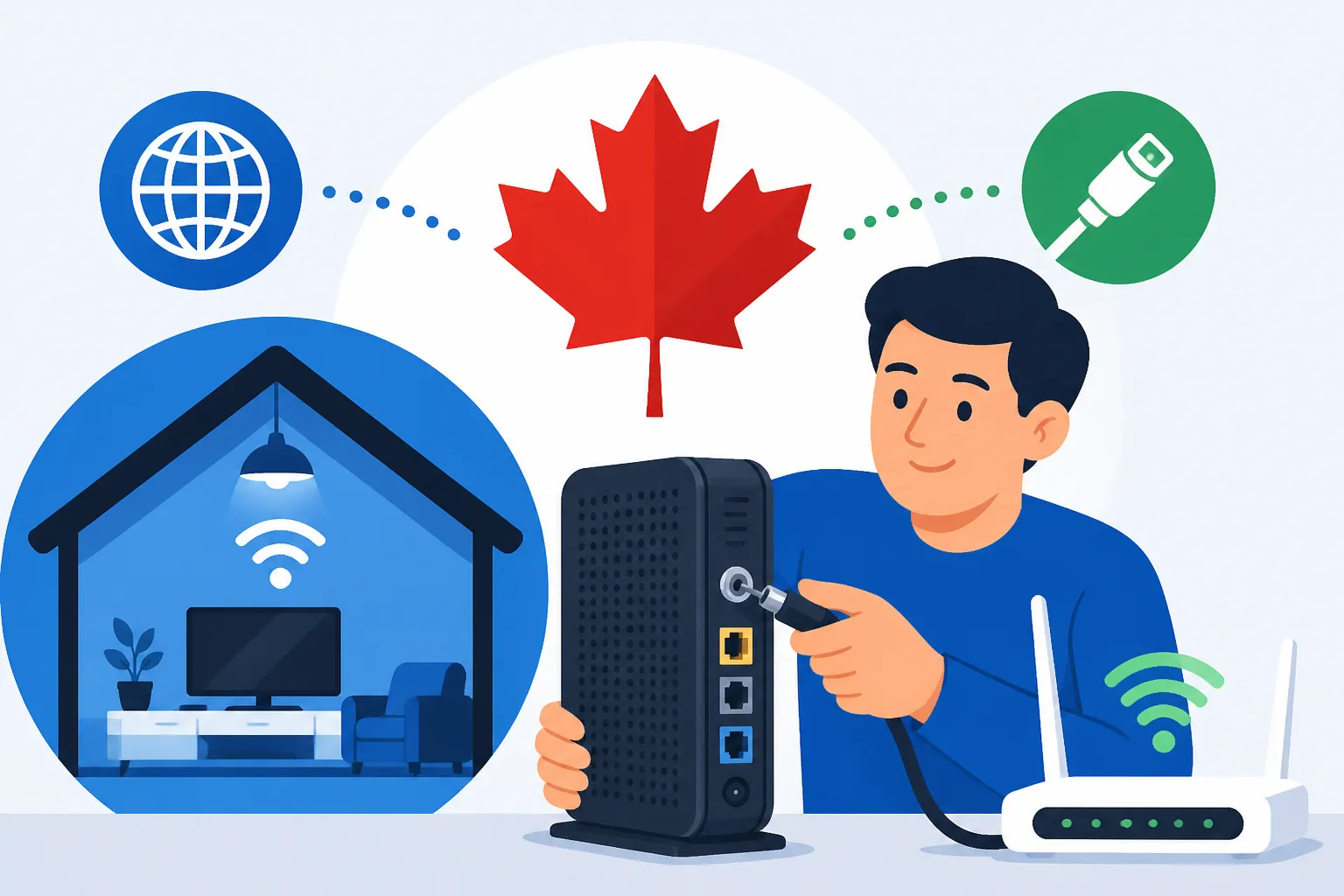
- Self-Installation Kits: For cable internet, many providers now offer self-installation kits. They send you a modem (and often a Wi-Fi router), and you just plug it into the existing coaxial cable outlet in your home. This is the quickest and often free option. The instructions are usually straightforward, but sometimes the outlet isn't active, or you hit a snag.
- Technician Visits:
- New Fibre Connections: If you’re getting fibre optic internet, a technician almost always needs to visit. They might need to run a new fibre line to your unit or activate the existing one, which is more complex than just plugging in a cable modem.
- Activating Cable Outlets: If your home's cable outlet isn't active or hasn't been used in a while, a technician might need to activate it from the street or building's main connection box.
- Troubleshooting: If you attempt self-installation and it doesn't work, a technician visit will be scheduled.
- Scheduling: Be prepared for potential wait times to get a technician appointment, especially in busy seasons or for popular providers. It's not uncommon to wait a week or two. Plan accordingly and try to book as soon as you have your move-in date confirmed.
- Being Present: You or an adult must be present for the entire duration of the technician's visit. They'll need access to your unit and sometimes the building's utility closets.
- Equipment: Owned vs. Rented:
- Modem: This device connects your home network to your internet service provider. You almost always need one.
- Wi-Fi Router: This device broadcasts your Wi-Fi signal throughout your home. Modern modems often have built-in Wi-Fi routers, creating a single "gateway" device.
- PVR/Set-Top Box: If you opt for cable TV, you'll get a set-top box or a Personal Video Recorder (PVR) which records live TV.
- Rental Fees: Most providers charge a monthly rental fee for their equipment. Over time, this adds up. Sometimes, especially with independent providers, you have the option to buy your own compatible modem and router to save on these fees. Do your research to ensure compatibility if you go this route.
Activating Your Services
Once the equipment is installed, whether by you or a technician, the final step is activation.
- Connecting Your Devices: Plug in your computers, tablets, and phones to the Wi-Fi network using the password provided (usually on a sticker on the modem/router).
- First-Time Setup: Some providers might require you to visit a specific web page to complete the activation process after your equipment is connected.
- Troubleshooting Initial Issues: If things aren't working, check all cables, restart your modem/router, and then contact customer support. They can often run diagnostics remotely.
- Billing Cycles and Payment Methods: Clarify your billing cycle (e.g., monthly, bi-weekly) and set up your preferred payment method. Pre-authorized debit from your Canadian bank account is a common and convenient option. Be mindful of when your first bill will arrive and its due date to avoid service interruptions. You might even want to set up pre-authorized payments for all your utilities; check out How to Pay Your Utility Bills Online in Canada.
Navigating Cable TV Options in Canada
For many newcomers, traditional cable TV is one of the services they question the most. The landscape has shifted dramatically, with streaming services offering flexible and often more affordable alternatives.
Traditional Cable TV Packages
If you grew up with cable TV, the Canadian offerings might feel familiar, but they come with a hefty price tag.
- Basic vs. Premium Channels: As mentioned before, basic packages get you local news, major Canadian and US networks. Beyond that, you start paying for themed packages (sports, movies, kids) and then individual premium channels like HBO. It can get expensive very quickly.
- Sports Packages: If you're a big sports fan, this is often the main reason people keep traditional cable. Dedicated sports channels like Sportsnet and TSN are usually part of higher-tier packages or come as premium add-ons.
- International Channels: For those wanting news or entertainment from their home country, many providers offer international channel bundles. However, these are often quite pricey and are increasingly available through online streaming services directly from their originating countries.
- The Cost Factor: The reality is, traditional cable TV is a significant monthly expense in Canada. When you're managing the overall The Complete Guide to Cost of Living in Canada for Newcomers, this might be one of the first areas you consider cutting back.
The Rise of Streaming Services and Alternatives
This is where most people, especially younger generations and newcomers, are finding their entertainment value. The rise of streaming has revolutionized how we consume media.
- Subscription Streaming Services:
- Global Giants: Netflix, Disney+, Amazon Prime Video, Apple TV+ are all readily available in Canada and offer a vast library of movies and TV shows.
- Canadian Specific: Crave (owned by Bell) offers HBO content, Canadian originals, and a wide selection of movies. Sportsnet NOW and TSN Direct provide streaming access to their respective sports channels without a traditional cable subscription.
- Niche Services: There are countless smaller streaming services catering to specific genres or languages.
- YouTube TV & YouTube Premium: While YouTube itself is free, YouTube Premium offers an ad-free experience and background playback. YouTube TV is a live TV streaming service available in the US but not yet widely in Canada, so don't confuse the two.
- Over-the-Air (OTA) Antennas: Surprisingly, in many urban areas, you can pick up major Canadian and some US network channels for free using a simple digital antenna. This is a one-time purchase and can be a great way to get local news and basic programming without any monthly fees. It's not for everyone, but it's a valid, free alternative.
The beauty of streaming is flexibility. You can subscribe to a few services for a fraction of the cost of a full cable package, and you can cancel or re-subscribe month-to-month based on what you want to watch.
Bundling Internet and TV for Value
The big providers really push their bundles, and sometimes they do make financial sense, but it’s crucial to do the math.
- When Bundling Makes Sense:
- Significant Savings: If the bundle truly offers a substantial discount compared to buying internet and your desired TV package separately. This often happens with promotional pricing.
- Convenience: Having one bill and one point of contact for multiple services can simplify your life.
- Specific Needs: If you're a die-hard sports fan who needs all the live games, or if you prefer the traditional channel surfing experience, a bundle with robust TV options might be the only way to get what you want without paying even more piecemeal.
- When Bundling Doesn't Make Sense:
- Unused Services: If you're bundling TV but primarily use streaming services, you're paying for channels you don't watch.
- Expired Promotions: Once the introductory rate ends, the bundle price can skyrocket, often becoming more expensive than buying internet from an independent provider and then subscribing to streaming services. Always ask for the "regular" price after the promotion.
- Limited Customization: Bundles often force you into larger TV packages than you actually want.
As a general rule, consider starting with just internet. Live with it for a month or two, explore the streaming options, and then decide if traditional cable TV, perhaps bundled, is truly a necessity for your household.
Common Challenges and Tips for Newcomers
Moving to Canada is exciting, but it comes with a unique set of challenges. Setting up utilities, including internet and cable, often highlights some of these hurdles, particularly around credit and understanding local practices.
Credit Checks and Newcomer Packages
This is a pain point almost every newcomer experiences. In Canada, establishing credit history is a big deal, and without it, you're often treated like a higher risk, even if you have excellent credit in your home country.
- The Credit Catch-22: Many internet and mobile providers will perform a credit check when you try to open an account. If you don't have a Canadian credit history, you might be denied, or you'll be required to pay a security deposit (sometimes a few hundred dollars) that they hold for a year or more. It feels unfair, especially when you have a good job and stable income.
- Newcomer Programs: Some of the larger providers, recognizing this issue, have started offering "newcomer" or "welcome to Canada" programs. These might waive the credit check requirement or offer reduced deposit amounts for individuals who can provide proof of permanent residency, a work permit, or an international student visa. Always ask about these specifically. Don't be shy; many others before you have faced this.
- Building Credit: The good news is, by successfully paying your bills (like internet, mobile, and rent) on time, you slowly start building your Canadian credit history. This is vital for so many aspects of life here, from getting a loan to renting another apartment. This is also why we recommend reading How to Build a Credit Score as a Newcomer in Canada as early as possible.
- Alternative Solutions: If a deposit is too high, consider an independent provider who might be more flexible, or explore month-to-month prepaid internet options if available, though these are less common for home internet.
Understanding Contracts and Cancellation Policies
Before you sign on the dotted line or agree over the phone, make sure you understand the terms.
- Contract Lengths: As mentioned, be clear about the duration of your contract. Many promotional prices are tied to a 12 or 24-month commitment.
- Early Termination Fees (ETFs): If you break your contract before it's over, you'll likely face an early termination fee. This can be a flat fee or a calculation based on the remaining months of your contract. This is particularly important if you anticipate moving provinces or leaving Canada within a year or two.
- Price Increases: Remember those enticing introductory rates? Make sure you know what the "regular" price will be after the promotional period ends. Providers don't always proactively remind you. Set a reminder in your calendar for when your promotional period is about to expire so you can call them, negotiate a new deal, or consider switching.
- Cancellation Procedures: Each provider has a specific process for cancelling service. It usually involves calling their customer service line, giving a certain amount of notice (e.g., 30 days), and returning equipment. Make sure you get confirmation of your cancellation in writing. If you're moving internationally, coordinating all these aspects, including utility cut-offs, can be tricky. Platforms like Sirelo can be incredibly helpful for managing the complex logistics of an international move, ensuring nothing falls through the cracks, from packing to utility management.
Dealing with Customer Service and Technical Issues
Navigating customer service can sometimes feel like an Olympic sport, especially when you're dealing with a new system and perhaps a language barrier or unfamiliar accents.
- Patience is Key: Call wait times can be long, especially for the larger providers. Try to call during off-peak hours (mid-morning or late afternoon on weekdays are often better than evenings or weekends).
- Online Chat: Many providers offer online chat support, which can be convenient for getting quick answers or troubleshooting minor issues. You also have a written record of the conversation.
- Document Everything: When you call, note down the date, time, the name of the representative you spoke to, and a summary of your conversation. This is invaluable if you need to follow up or dispute something later. "I spoke to Sarah on October 26th at 3:15 PM, and she confirmed X." This level of detail can be very helpful.
- Be Specific: Clearly describe your problem or question. Generic complaints like "my internet is slow" won't get you far. Provide details: "My download speed is consistently below 50 Mbps, even though I pay for 250 Mbps, and this happens every evening between 7 PM and 10 PM."
- Escalation: If you're not getting a satisfactory answer, politely ask to speak to a supervisor or to have your issue escalated.
- CCTS (Commission for Complaints for Telecom-television Services): If you have a persistent, unresolved complaint with your internet or TV provider, and you've already tried to resolve it directly with them, you can file a complaint with the CCTS. This independent organization helps resolve disputes between consumers and telecom/TV providers. It's a resource to keep in mind, though hopefully, you won't need it!
Setting up your internet and cable in Canada might not be as straightforward as you'd hope, but with a bit of research, preparation, and patience, you'll be streaming, connecting, and video calling like a true Canadian in no time.
Disclaimer
The information provided in this article is for general guidance only and does not constitute professional advice. Telecommunication plans, pricing, and regulations in Canada are subject to change. It is essential to conduct your own research, confirm details with specific providers, and seek expert advice tailored to your individual circumstances before making any decisions.